
A contractor can spend an entire month adding towns to a website and still leave customers wondering whether the company handles the job they need.
That is the problem with choosing pages by category alone. “We need more city pages” sounds like a plan. It becomes a useful plan only when those pages address an opportunity the business can serve and the current website cannot adequately support.
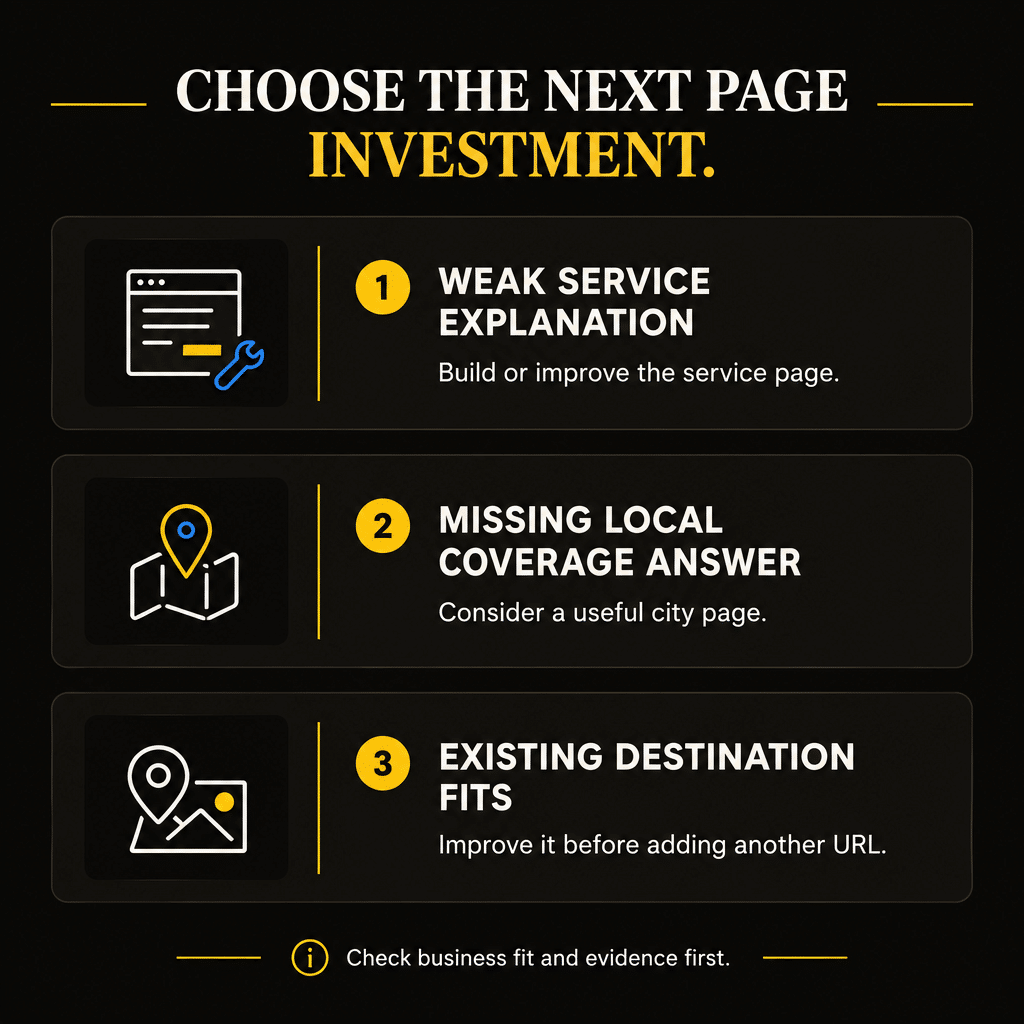
For most contractors with a weak service foundation, the first investment should be a clear page for a priority service—or a meaningful improvement to the page already there. A city page can deserve the next investment when service information is strong, the territory makes business sense, and customers in that area need a distinct local answer.
This is a way to prioritize your budget, not a Google rule that service pages must always come first. The right order depends on the work you want, the pages you have, and the question your next customer still cannot answer.
Start With the Customer Question Each Page Must Answer
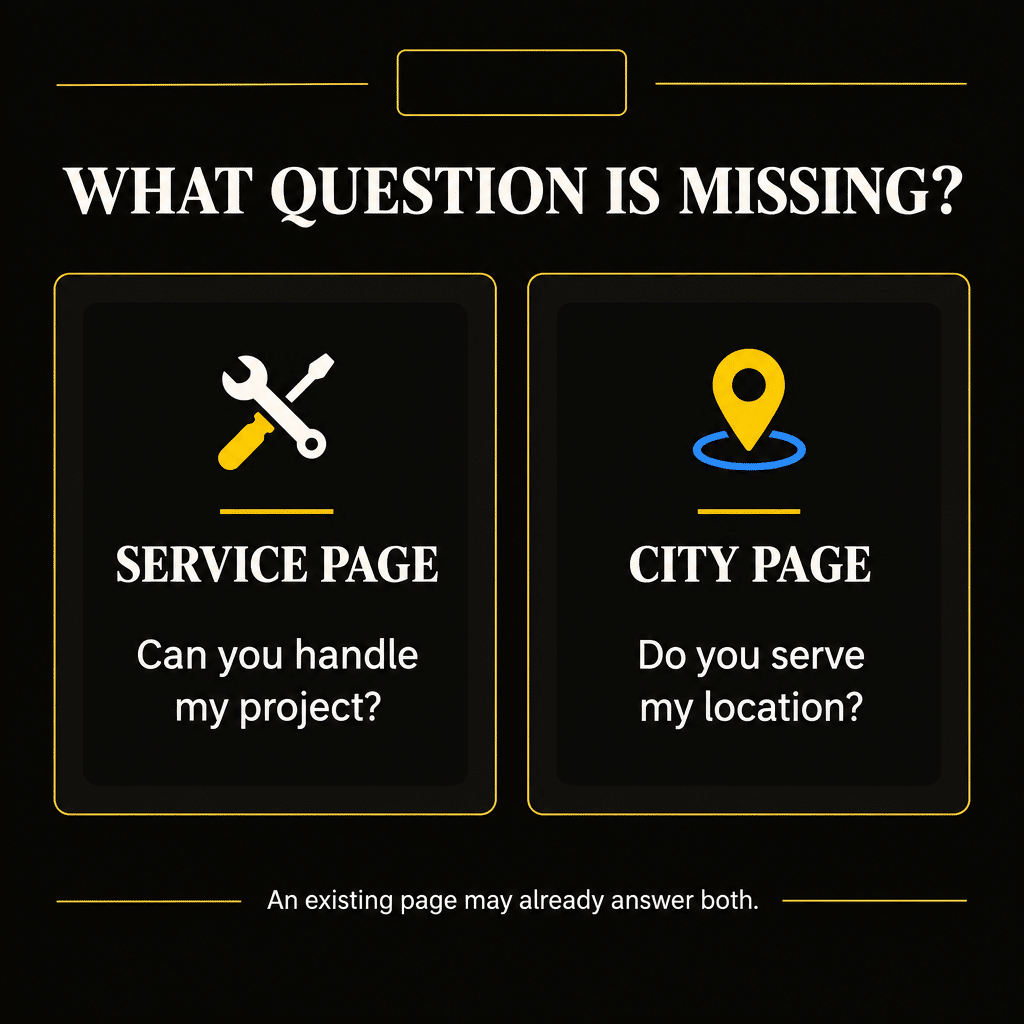
A service page explains a particular kind of work. A homeowner looking for gutter repair needs to understand what problems you address, whether the work fits their situation, and how to request help.
A city page explains your relevant coverage in a particular location. A homeowner in a neighboring town may need to know whether you travel there, which services are available, and whether your company has experience with comparable projects.
Those responsibilities overlap. A strong service page can explain a service and identify its core location. A useful city page can introduce several services and direct visitors to the appropriate details. You do not need to strip geography from service pages or duplicate the whole service explanation on every city page.
Think about these page roles before choosing the next URL:
| Page role | Main customer question | Useful next action |
|---|---|---|
| Core service page | Can this company handle my particular problem or project? | Request the relevant service or estimate |
| City coverage page | Does this company serve my location, and what can I hire it for? | Choose an available service or ask about coverage |
| Service-and-city page | Can I hire this company for this specific work in this location? | Request that work with clear local expectations |
| Completed-project page | Has this company done work comparable to mine? | Review the relevant service and inquire |
These are editorial roles, not mandatory page templates. One existing page may already do two of these jobs well.
The distinction matters because you can easily increase page count. Useful answers require more judgment.
Review the Pages You Have Before Commissioning More
Before approving a new page, make a small inventory of the pages connected to your priority service.
Record the URL, the work it covers, the area it describes, the customer action, and the evidence supporting the claims. Read each page on a phone. Try the inquiry route. Notice whether a customer has to visit three pages to discover information about your office supplies in the first thirty seconds of a call.
A site with a general “Services” page and a few short bullet points may lack a meaningful destination for an important service. A site with a detailed service page may simply need stronger proof, clearer scope, or a more prominent estimate option.
These situations call for different work. Neither automatically requires another city URL.
Search Console can add context. Its Performance report lets you examine search queries and pages, including clicks, impressions, click-through rate, and average position. Look for patterns around the service and location you are considering. Treat those patterns as evidence to investigate, not a complete record of all demand.
The Page-One Gap Analyzer can help organize a manual comparison between your page and relevant organic competitors. Choose results that address the same customer need. A general directory, an equipment supplier, and a local contractor may appear together while serving different purposes.
The useful question is specific: what information, evidence, or customer action does your current page lack?
If the existing page is a good home for that answer, improving it may be the most sensible first investment.
Put the Service Foundation First When Customers Cannot Understand the Work
Build or improve the service page first when the website does not explain an important service well enough for a suitable customer to take the next step.
This is common when a contractor offers several kinds of work but describes them all with one sentence. “Complete exterior services” may sound comprehensive to the owner. It tells a homeowner little about a leaking gutter joint, damaged fascia, or a full gutter replacement.
A priority service page should establish enough clarity to support an informed inquiry:
- The problems or project types the company handles.
- The relevant service scope and meaningful limitations.
- Evidence from actual work, where available and permitted.
- The area in which that service is offered.
- A clear way to request help and an honest explanation of what happens next.
This is a foundation check, not an instruction to put every possible detail on one page. The amount of explanation should fit the service and the customer’s decision.
Consider a hypothetical gutter company that wants more repair work during gaps between installation projects. Its website has an installation page and a list of fifteen towns, but no useful explanation of repairs.
Creating five more town pages would leave the central question unresolved: does this company repair the homeowner’s problem, or does it only install new systems?
A focused repair page gives the company somewhere to explain its scope, show relevant work, and direct suitable inquiries. Existing coverage pages can then point customers toward that service.
Use the Search Intent Worksheet to clarify the decision behind the target searches. Someone looking for a repair provider needs a different answer from someone comparing replacement materials. The page investment should follow that difference.
Give the City Page Priority When the Service Foundation Is Already Strong
A city page can come first when the missing information is local coverage rather than service capability.
Imagine a hypothetical painting contractor with clear interior and exterior painting pages, relevant project photographs, and a working estimate process. The company already completes suitable projects in a nearby town, but its website makes that coverage difficult to discover.
Customers may reasonably wonder whether the contractor travels there. They may also need to know which project types it accepts, how estimate visits are arranged, and whether any scheduling conditions apply.
If that territory deserves promotion, a useful city page could be the next investment. It would connect the company’s established service information with the local decision the website currently leaves unanswered.
Before approving it, ask whether:
- The company wants to serve the work in that location and can.
- Existing pages already answer the local question adequately.
- There is relevant evidence of demand or search opportunity.
- The proposed page can offer a useful local explanation.
- Someone can maintain its coverage and availability claims.
Demand alone is insufficient. A town can produce inquiries that are expensive to estimate, difficult to schedule, or poorly matched to the services you want to grow.
Keep the business decision ahead of the publishing decision. A city page should support a territory you have chosen deliberately.
Also separate website planning from expectations about Google Maps. Google describes local results as mainly influenced by relevance, distance, and prominence. Publishing a city page does not guarantee visibility throughout that town.
Compare the Actual Bottlenecks, Not Just the Two Page Types
Sometimes both a service page and a city page have a reasonable business case. The choice then becomes a comparison of specific investments.
“Add city pages” is too broad to compare with “improve services.” Define the alternatives precisely. For example: improve the current roof replacement page, or create a coverage page for a town where the company can profitably accept replacement projects.
Compare them using the same questions:
| Decision factor | What to examine |
|---|---|
| Business fit | Does the investment support work the company wants and can deliver? |
| Current page gap | What important customer question is unanswered today? |
| Search opportunity | What relevant demand and competing results support the idea? |
| Evidence available | Can the company support the page with accurate service details and real proof? |
| Production effort | What information, photography, review, and maintenance will the work require? |
| Inquiry readiness | Can the office identify, qualify, and handle the resulting requests? |
Do not turn uncertain estimates into a precise score simply because a spreadsheet has room for decimals. Record what you know, what you suspect, and what would change your decision.
The SEO Opportunity Prioritization Worksheet provides a place to compare the proposed work with other SEO opportunities. The page that sounds most ambitious may not address the most important constraint.
For example, a city page might have promising potential while a broken mobile inquiry form blocks customers across the whole site. Fixing that observed problem deserves attention before sending additional visitors into the same failure.
Avoid Building Every Service-and-City Combination by Default
Once an owner approves service pages and city pages, the next temptation is to multiply them.
Ten services across twenty towns create two hundred possible combinations. That is arithmetic, not two hundred proven content opportunities.
Some combinations may deserve dedicated pages. Others may be adequately handled by a service page with clear coverage information or a city page that links to relevant services.
A separate service-and-city page should have a clear reason to exist. The customer need, available evidence, and search opportunity should justify the additional destination. Changing the town name in an otherwise identical paragraph is a weak editorial reason.
Google’s spam policies describe doorway abuse, including substantially similar pages created to rank for similar searches and funnel visitors elsewhere. That does not make every city page a violation. It does make a large collection of interchangeable pages a poor default strategy.
Start with the combinations you can explain and support. A roofing company may have a strong case for a replacement page in a location where it actively pursues substantial projects. That does not establish a case for every repair, inspection, material, and neighborhood variation.
The additional pages also create maintenance work. Service scope changes. Crews become unavailable. Financing arrangements change. A site shouldn’t keep making promises just because those promises were copied into dozens of pages last year.
Give a City Page Useful Local Substance
A useful city page helps the reader decide whether to contact your company for work in that location.
That substance can come from accurate coverage details, available services, real projects, and practical scheduling information. Where building conditions affect the work, explain those conditions only when they are relevant and supported.
For instance, a contractor may document a project involving restricted access and explain how the team planned material delivery. The value comes from the actual project and the decision it illustrates. It doesn’t come from claiming every home in the town has the same access problem.
City history, a list of landmarks, and a weather paragraph rarely establish contractor suitability on their own. They can take up a surprising amount of space while leaving the customer’s question unanswered.
A useful local page might answer:
- Which services can customers in this area request?
- Are certain project sizes or types handled differently?
- What real work or relevant experience can the company show?
- How does a customer confirm coverage and arrange the next step?
Be accurate about location. If your crew travels to the town from another area, describe that honestly. Do not imply an office, local team, or project history that does not exist.
When evidence is limited, keep the claims limited. You can describe genuine coverage without inventing a customer testimonial or a neighborhood project. The page still needs a useful purpose beyond another place name.
Connect Pages Around the Customer’s Next Decision
Service and city pages should help visitors move through the website without forcing them to restart their search.
A service page can link to relevant coverage details when location affects the decision. A city page can link to the services actually offered there. A completed-project page can point to the service it demonstrates.
Those links should have a reason a reader can understand. “See our exterior painting service” is useful when a local coverage page introduces exterior work. A long block containing every service-city combination asks the reader to sort out the site architecture.
Use the Internal Linking Planner to identify the destination, the reader’s next question, and the context in which a link belongs. It helps organize the decision; it does not replace reviewing the pages themselves.
Keep the inquiry route direct as well. A city page that provides enough information to support a request should offer that next step. It should not require the customer to click through a chain of pages merely to find the phone number.
Internal linking works best when the pages have distinct responsibilities. If you cannot explain why a visitor would need both pages, review the content assignment before adding more links.
Improve Existing Pages When the Destination Already Fits
Creating a new URL can be satisfying because it produces a visible deliverable. Updating an existing page can be less dramatic and more useful.
If a service page already attracts relevant visitors, describes the right work, and matches the customer’s intent, consider strengthening its weak sections before creating a second destination.
A page might need current project evidence, clearer coverage, better scope boundaries, or a simpler estimate request. None of those changes automatically requires a new URL.
Likewise, an existing city page may need a substantive revision rather than a second version targeting a slightly different phrase.
When two pages overlap, investigate before merging them. Review their content, search queries, visits, inquiries, and inbound links where available. Similar words in titles do not by themselves prove that one page should disappear.
For example, a general gutter service page and a gutter replacement page may serve different decisions. Two near-identical gutter replacement pages for the same location may offer little distinct value.
If a consolidation is warranted, plan the destination and redirects carefully. Preserve useful material and navigation. A routine content improvement should not become an unnecessary URL migration.
Write a Small Page Brief Before Approving Production
The next page should include an assignment specific enough for the writer, owner, and inquiry handler to agree on what success looks like.
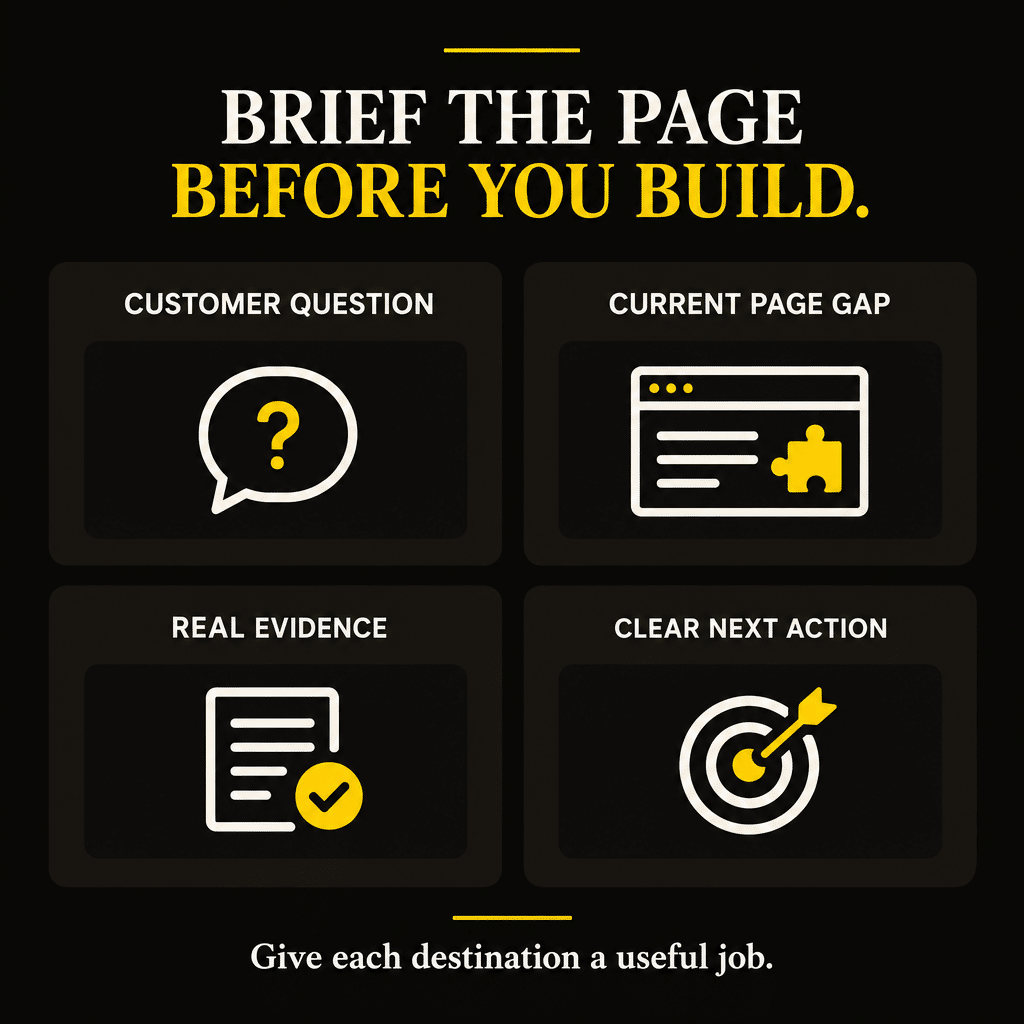
A brief does not need to be long. It needs to settle the important choices:
- Target work and area: the service and coverage the page will support.
- Customer decision: the question the page must answer.
- Current gap: why the existing website does not adequately answer it.
- Evidence: service details, permitted project material, and accurate operating information.
- Next action: the request the customer should make and how it will be handled.
- Connections: the existing pages that should link to and from this destination.
- Review responsibility: who will keep its promises accurate.
This also protects the project scope. A writer should not have to invent estimate procedures because the brief contains only a keyword and a town name.
Agree on the purpose before polishing titles. A title should describe the actual page clearly. Repeating the service and town multiple times adds no substance.
Google’s Search Essentials recommend helpful content, relevant words in prominent places, and crawlable links. These are sound foundations. They do not mean a page is guaranteed to be indexed or to win a particular search result.
Judge the Investment by Relevant Inquiries and Booked Work
After publication or revision, check whether the page helps attract the work it was built to support.
Search impressions and clicks can show changes in visibility. Inquiry records can show whether visitors request the intended service in an area you actually want to serve. Booked and completed work can help establish whether those requests are commercially useful.
Keep these layers separate. A search click is not a qualified estimate request. An estimate request is not a completed job.
Record the initial landing page when your tracking setup can capture it reliably, then connect the inquiry with requested service, job location, qualification, and outcome. A visitor may read several pages before contacting you, so a single page’s reported conversions will not always capture its full role.
Search Console provides aggregated search performance. It does not identify an individual searcher and connect that person’s keyword with a particular sale. Do not build reporting claims that require data you do not have.
Review the outcome over a period that fits the service and its buying process. A replacement project can take longer to move from inquiry to completed work than a straightforward repair. Avoid judging the page before the relevant opportunities have had time to progress.
If the page attracts unsuitable requests, review the message and coverage promises. If suitable requests arrive but stall after contact, review the handoff. Another page may not solve either problem.
Frequently Asked Questions
Can my homepage serve as the main service page?
It can explain the company’s main offering, especially for a focused business. Review whether it gives a customer enough detail about the priority service. When several services require different explanations, a dedicated destination may make the choice clearer. Do not create one solely because a template expects it.
Should I put the city name in every service-page URL?
Choose a clear, stable URL that fits the page’s actual scope. A location-specific URL can make sense for a genuinely location-specific page. A service offered across several areas may fit a broader URL. Adding a city name is not a reason to rename a useful existing page without evaluating the consequences.
Can one city page cover several services?
Yes, when those services are genuinely available there, and the page helps customers choose the relevant option. Explain the coverage clearly and link to fuller service information where needed. Avoid reproducing the entire service-page collection inside the city page.
How do I choose between a city page and a neighborhood page?
Start with the customer need and your actual coverage. Consider a neighborhood page when a meaningful distinction supports it, such as documented project conditions or a specific service opportunity. Geographic precision alone does not justify another URL. An existing city page may answer the question adequately.
What if my agency proposes dozens of location pages at once?
Ask for the business case, existing-page review, distinct content assignment, evidence plan, and maintenance responsibility. Request a prioritized first group with clear measurement expectations. A large proposed count does not explain which pages deserve the initial investment.
Choose the Page That Supports Your Next Profitable Job
Service pages and city pages both have useful jobs to do. Your next investment should address the gap that matters most to the customers and work you want.
If suitable customers cannot understand the service, strengthen that foundation. If they understand the service but cannot establish relevant local coverage, a city page may deserve priority. When an existing page already fits, improve it before adding another destination.
For a broader method of choosing SEO work around business outcomes, explore Quickest Path to ROI SEO™. Use it to connect the next website investment with a clear customer decision and a practical business objective.
If you need help reviewing your contractor website and implementing the page priorities, see Elite SEO Consulting’s home improvement SEO services or call 719-474-9404.