
A homeowner with an urgent plumbing problem and a homeowner planning a bathroom update may both need a plumber. They need different things from the website.
One wants to establish whether someone can handle the problem and respond within a useful timeframe. The other may want to compare scope, understand the process, and schedule a conversation before work starts.
Sending both visitors through the same generic “Contact Us” experience leaves important questions unanswered.
Your website should make the appropriate next step clear for each kind of request. Urgent-service visitors need accurate availability, relevant coverage, and a direct way to confirm assistance. Planned-service visitors need useful explanations, credible evidence, and an estimate or consultation route that fits their decision.
The distinction should carry into your keywords, page content, inquiry handling, and measurement. It should also match the service your company can actually provide.
Separate Urgency From the Type of Job
Emergency, urgent, and planned requests describe timing and circumstances. They don’t reliably describe project size, profitability, or the right technical solution.
A repair may be planned. A replacement may become urgent. A customer searching for an installation estimate may need work sooner than your current schedule allows.
Treat urgency as information to clarify, rather than a diagnosis you assign from a search phrase.
For website planning, it helps to distinguish three situations:
- Urgent assistance: the customer wants to know whether appropriate help is available now or soon.
- Service appointment: the customer has an existing problem but may be able to arrange a suitable appointment.
- Planned project: the customer is evaluating or preparing work and needs a process for discussing it.
These categories are editorial planning aids. Your qualified team should decide how to handle actual requests.
A page cannot establish the seriousness of a condition through a few form fields. It should describe the company’s scope and give visitors the appropriate contact route. Don’t use a self-service questionnaire as a substitute for a necessary professional assessment.
This distinction also prevents a common strategy mistake: assuming that every urgent search deserves priority because the customer sounds ready to buy. The inquiry still needs to fit your services, territory, capacity, and delivery economics.
Match the Page to the Decision the Customer Faces
The useful difference between urgent and planned searches is the information needed before taking the next step.
Urgent visitors may still read service details and reviews. Planned visitors may still prefer to call immediately. These are tendencies to design around, not rules about how every customer behaves.
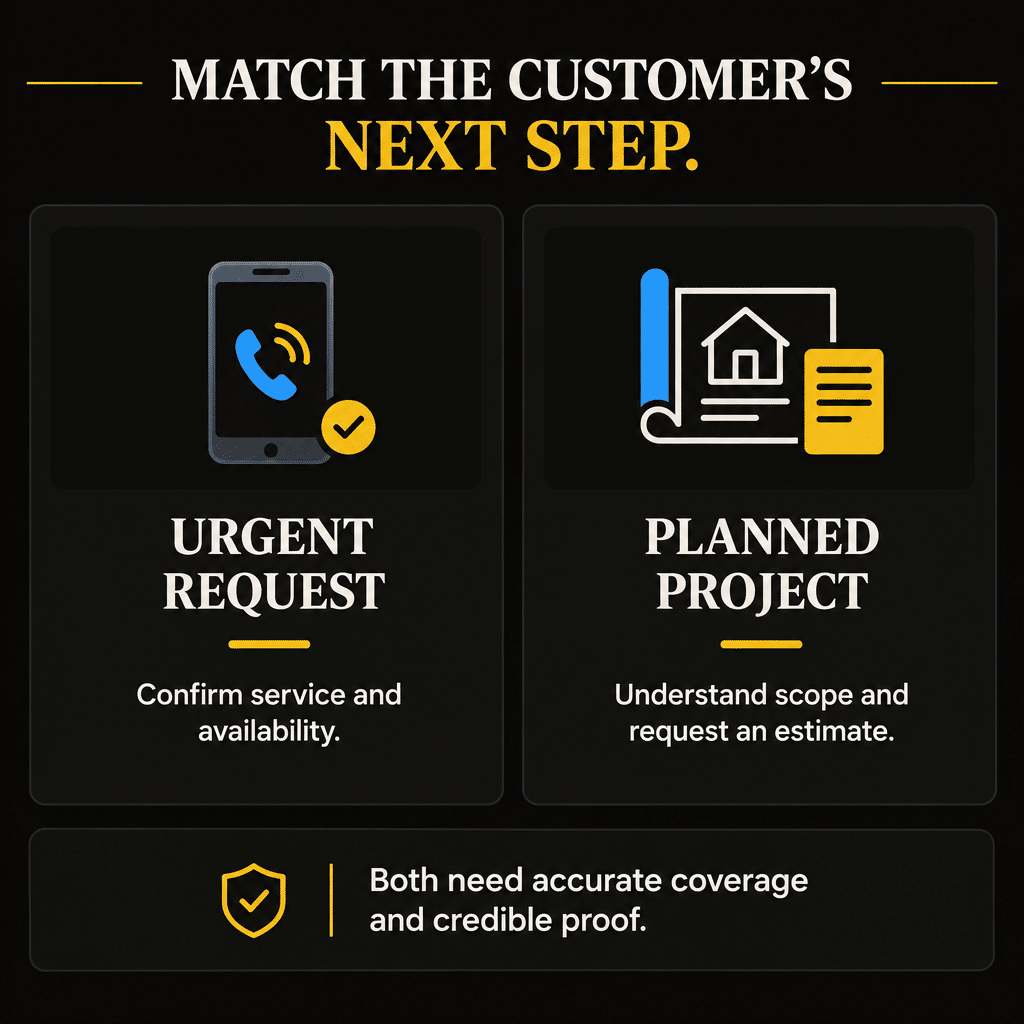
Use the following comparison to assign the page’s responsibilities:
| Page responsibility | Urgent-service visitor | Planned-service visitor |
|---|---|---|
| Establish fit | Confirm the problem type and location are served | Understand the proposed service and project scope |
| Explain availability | Clarify when the request can be reviewed and assistance confirmed | Explain estimate scheduling and project planning |
| Supply relevant proof | Show credible service capability and reliable communication | Show comparable work, process, and relevant qualifications |
| Offer the next step | Provide a direct way to discuss availability | Offer an estimate, appointment, or consultation request |
| Set expectations | Distinguish contact, assessment, dispatch, and arrival | Distinguish inquiry, estimate, proposal, and project booking |
| Collect useful information | Capture essentials needed to handle the immediate request | Gather enough project context for a productive conversation |
Notice that both columns require clarity and proof. The difference is emphasis and sequence.
The Search Intent Worksheet can help define the customer’s task before you commission content. Record what the person needs to know and what action your company can support.
That exercise should produce a usable page assignment. “Target emergency keywords” does not explain what happens after the customer clicks.
Research Urgent and Planned Searches Separately
Search wording can suggest urgency, but it rarely supplies the entire story.
Terms such as “emergency plumber,” “after-hours furnace repair,” or “same-day AC repair” set clear expectations for availability. A phrase such as “bathroom plumbing renovation estimate” suggests a different decision.
Other searches are ambiguous. “Water heater replacement” could come from someone planning an upgrade or someone whose equipment has stopped working. “Plumber near me” could represent either situation.
Build research groups around the service and customer decision. Include the relevant timing language only when the business genuinely supports it.
For each group, review the actual search results, available demand evidence, existing website coverage, and the work needed to provide a useful destination. Do not assume every urgency modifier needs its own page.
The Keyword Opportunity Evaluator helps organize that comparison using your research. It does not fetch live search volume or guarantee that a keyword will produce suitable inquiries.
Keep the business fit visible. A contractor with no after-hours response process should not choose “24-hour” searches merely because they appear commercially attractive.
Likewise, a company that wants planned projects should describe those projects clearly. It can still handle urgent requests without turning every page into an emergency-service advertisement.
Put the Urgent Contact Decision Near the Start
An urgent-service page should quickly answer whether the customer has reached a relevant provider.
Near the beginning, establish the service, the genuine coverage area, the contact route, and the availability conditions. Let the customer find the phone number without opening a menu, dismissing several pop-ups, or reading a long company history.
Use a clear action such as “Call to confirm service availability” when that accurately describes the process. Keep the phone number visible and readable, and make sure the mobile call button links to the intended number.
Keep the wording specific. If the team can assess requests during certain hours, state those hours. If assistance depends on crew availability, explain that condition before the customer assumes a visit is guaranteed.
Continue with concise information about relevant service scope, what the initial conversation covers, and what happens after the request is assessed. Include useful evidence of capability without making visitors search through unrelated project material.
A short form can be an alternative when someone cannot call. It needs an honest explanation of monitoring and response. An inbox checked the next business day is a poor destination for a button labeled “Get Help Now.”
The page should help people make a contact decision. It should not imitate a live dispatch system when no such system exists.
Build Planned-Service Pages Around Evaluation
A planned-service customer may need a fuller understanding of the project before requesting an estimate.
Give the page a clear service explanation, meaningful scope information, comparable project evidence, and an overview of the actual planning process. Address the questions that help a suitable customer decide whether to have a conversation.
For a planned HVAC replacement, that might include how the company evaluates the customer’s needs, what information helps prepare the visit, and how the estimate process works. Technical or performance claims should reflect the equipment, qualifications, and services actually offered.
For a bathroom plumbing project, explain the work the company handles and the coordination responsibilities that genuinely apply. Do not imply that the contractor manages the whole renovation if its role is limited to plumbing.
The next step might be “Request a replacement estimate” or “Discuss your planned project.” Use wording that describes the real action.
A request is not automatically a confirmed appointment. A consultation is not automatically a final quote. Explain the difference where it affects expectations.
Planned-service pages can still make calling easy. They simply need to support evaluation as well as immediate contact. A homeowner comparing a substantial project shouldn’t have to navigate an urgent-service message to find the company’s planning capabilities.
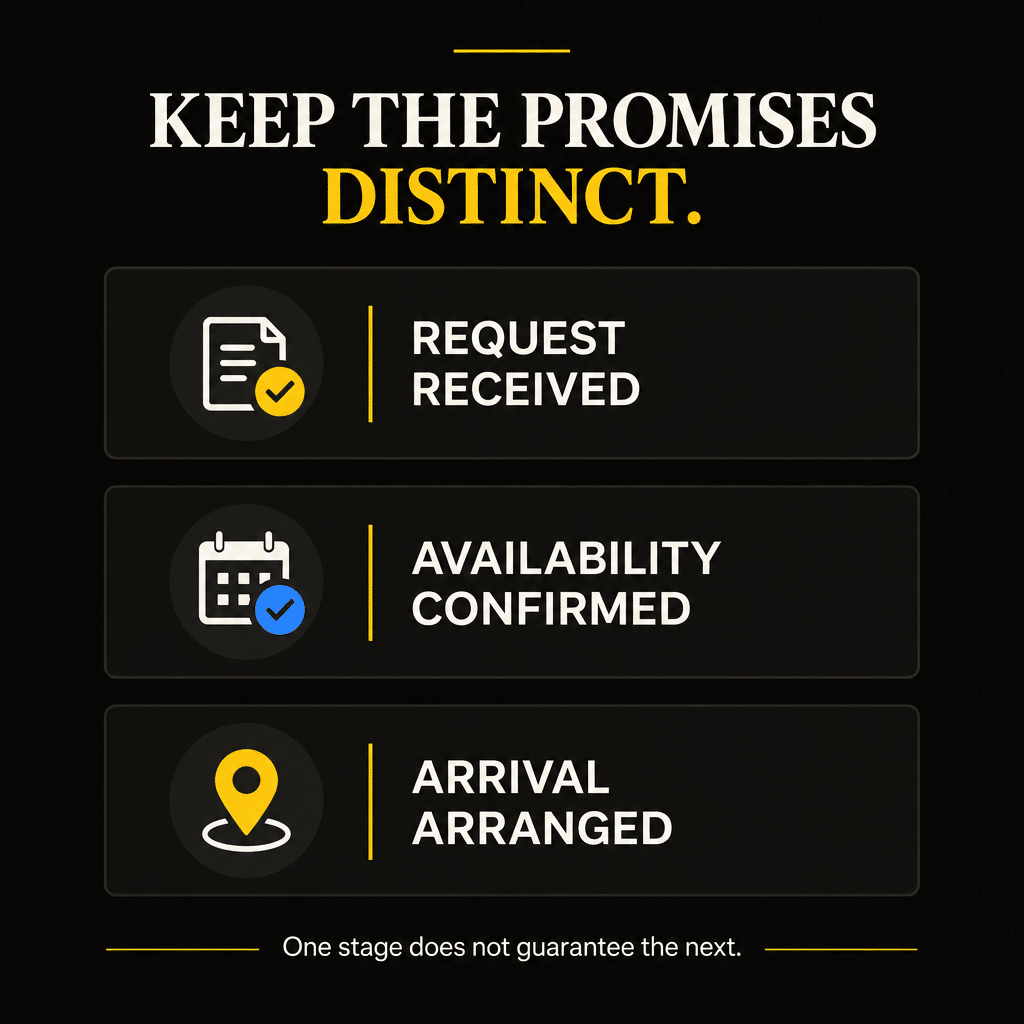
Distinguish Answering, Dispatching, and Arriving
Availability claims need more precision than many websites give them.
A company may answer calls around the clock while technicians work a narrower schedule. An answering service may record a request without authorizing dispatch. A dispatcher may accept the request while the arrival window still needs confirmation.
Those are different stages.
Before using “24/7,” “immediate response,” “same-day service,” or a specific arrival promise, define exactly what the business means and can support. The website wording should reflect that definition.
A practical availability statement identifies:
- When someone receives or reviews the request.
- Who can confirm whether the service is available.
- Whether dispatch depends on service type, location, or capacity.
- How the customer receives a confirmed appointment or arrival window.
You do not need to publish your entire staffing procedure. You do need to avoid presenting call receipt as a guaranteed visit.
Suppose a hypothetical contractor uses an overnight answering service that passes messages to the office in the morning. Describing that as “24-hour emergency response” creates an expectation the process cannot meet.
The accurate offer may be the ability to leave a request after hours, with review during the stated operating period. That is a different service and should be described accordingly.
A permanent “Available Now” badge is not an availability system. It is a promise somebody has to keep.
Keep Website and Local Listing Information Aligned
Customers may encounter your hours and service claims in several places before contacting you.
Review the website header, service pages, contact page, automated confirmations, and Google Business Profile. Look for contradictions about hours, coverage, and the meaning of urgent assistance.
Google’s Business Profile guidelines call for accurate representation and, where applicable, regular customer-facing hours. Apply the current guidance to your actual operation. Do not infer that round-the-clock phone message capture makes the whole business open around the clock.
Use Google’s special-hours guidance when eligible hours differ on holidays or other particular days. Website notices and customer messages should also explain relevant service limitations.
The Local Search Visibility Checklist can help organize a review of local business information and related visibility foundations.
Consistency should preserve accuracy. Copying the same unsupported claim onto every surface does not solve the underlying problem.
Assign someone responsibility for updating availability language. A staffing change, holiday schedule, or service-area restriction should not remain an office-only fact while the website continues inviting requests the team cannot handle.
Use Separate Pages When the Customer Decisions Warrant Them
A contractor may need separate urgent-service and planned-service destinations. It may also be able to support both with a well-organized service page.
The decision depends on the service scope, the customer’s task, the available evidence, and whether each page can provide a useful answer.
Separate pages can make sense when the offers differ materially. An urgent repair page may focus on current assistance and coverage. A planned installation page may explain evaluation, scope, and estimate preparation.
A separate emergency page is harder to justify when it copies the standard repair page and changes only the heading. Give it a real operational and informational assignment.
When one page handles both, make the routes easy to recognize. A visitor should be able to identify the option for an existing problem and the option for a planned project without interpreting internal company terminology.
Avoid a wall of location-and-urgency variations. Another URL should provide useful information, rather than merely another place to repeat “fast service.”
Google’s helpful-content guidance emphasizes substantial, useful information for the intended audience. Applying that principle here means designing around genuine customer decisions. No particular page split guarantees indexing, rankings, or conversions.
Route Each Request According to Its Actual Need
The website’s next step should connect with an appropriate receiving process.
An urgent call needs someone able to establish the relevant service, location, and availability. A planned-project request needs someone able to explain the estimate or consultation process and arrange the next action.
Both can use the same team or software if the request is identifiable and responsibility is clear. Separate technology is unnecessary when a reliable shared process handles both.
For a form, use a plain-language choice where helpful: assistance with an existing problem, a service appointment, or a planned project. Let customers describe uncertainty instead of forcing a technical classification.
Keep automated messages accurate. “We received your request” describes receipt. “Your technician is on the way” describes a much more specific event and should appear only when true.
If urgent forms are not continuously monitored, say so near the form and in the confirmation. Give the appropriate staffed contact route where one exists. Do not expect a customer to discover the limitation after submission.
For planned work, explain who reviews the request and what happens next. Requesting photographs, plans, or additional scope information can be useful when it supports a real next step.
The important distinction is the handling requirement. Avoid assuming that every person who selects “urgent” is ready for dispatch or that every person who selects “planned” is comfortable waiting indefinitely.
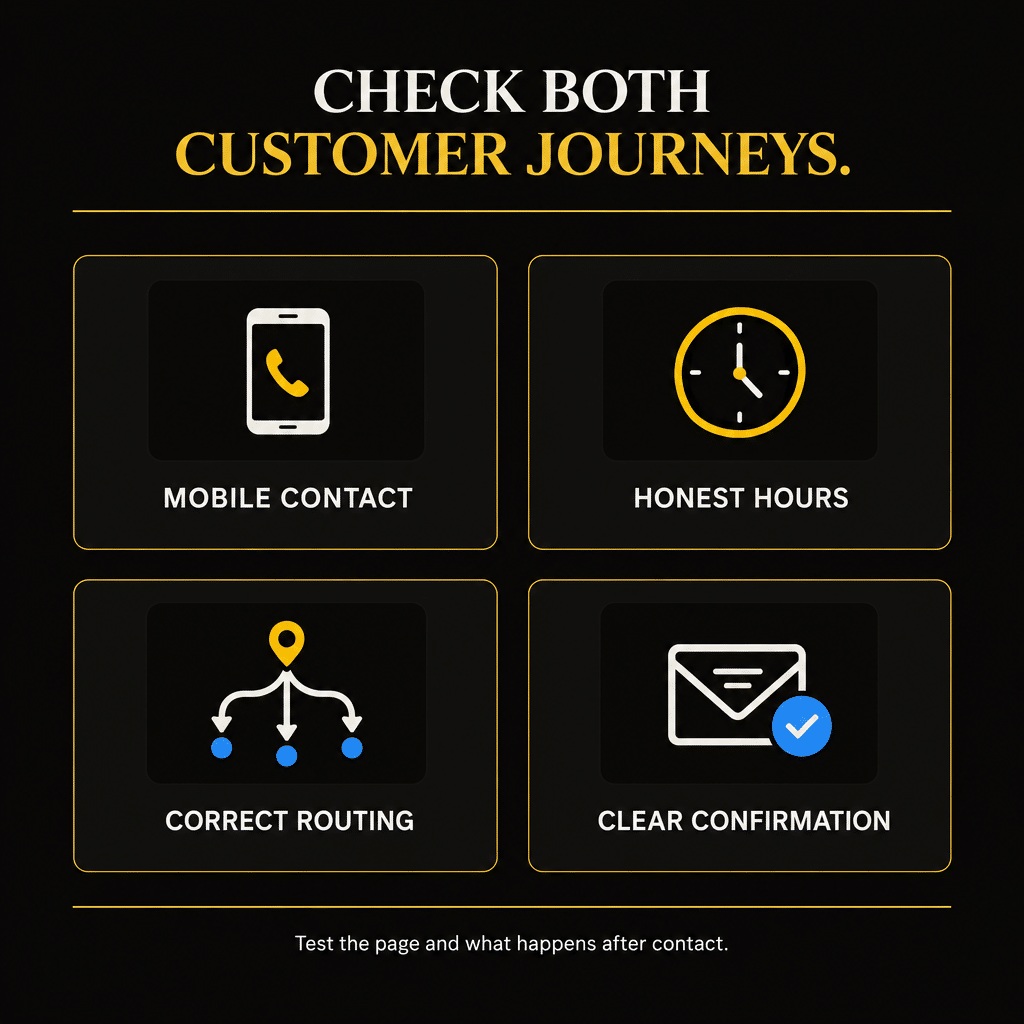
Test Both Journeys on a Phone
Review the experience as a customer would encounter it, including the parts that sit outside the page.
With your team aware of the test, try the urgent-service route during an appropriate operating period and verify what happens outside that period. Do not disrupt a working dispatch process with an unannounced fake emergency.
Check whether the phone button reaches the right number, the recipient can explain availability, and the form’s confirmation matches how the request is handled. Look for contact controls hidden by banners or screen overlays.
Then test the planned-service route. Confirm that the page helps explain the offer, the request captures useful scope information, and the team can identify and advance it.
A simple review record can include:
| Review item | What to verify |
|---|---|
| Service and coverage | The customer can identify whether the offer fits |
| Availability language | The promise matches the receiving and scheduling process |
| Contact controls | The phone and form routes work on a mobile screen |
| Request confirmation | Receipt is distinguished from appointment or dispatch |
| Internal ownership | The right person receives and handles the request |
| Customer next step | The visitor understands what will happen next |
Document the actual result and assign any needed correction. A successful form submission alone does not verify the whole journey.
Measure Urgent and Planned Requests With Their Own Timelines
Combining both inquiry types into one lead total can hide important differences.
An urgent request may be resolved or lost quickly. A planned project may involve an assessment, a proposal, and a longer decision period. That difference affects how you interpret bookings and follow-up.
Record the requested service, location, stated urgency, source information where reasonably available, and outcome. Retain the customer’s original need even if the eventual service changes after assessment.
For urgent requests, review whether suitable inquiries reached someone who could confirm assistance. Record why requests could not be accepted, including unavailable capacity or service outside scope.
For planned requests, review whether suitable inquiries progressed to the appropriate conversation, estimate, proposal, and booking. Use comparable groups of inquiries and give the opportunities time to develop.
Google’s Search Console Performance report can supply aggregate query and page visibility data. It does not identify an individual customer’s urgency or connect a keyword to a completed job.
Connect the records you can support and keep attribution limits visible. Do not count one customer twice because they called about an urgent problem and later requested a planned project.
Review delivery costs and completed outcomes as well. Urgent work can involve additional travel or staffing demands. Planned work can involve substantial estimating effort. Neither category is inherently the more profitable one.
Improve One Mismatched Journey First
Start with the difference between the current promise and the actual customer experience.
Consider a hypothetical HVAC contractor that handles daytime repair requests and scheduled replacement estimates. Its homepage uses an old “24/7” banner, while both contact buttons lead to a general form checked during office hours.
The first assignment is to correct the unsupported availability claim and make the repair contact conditions clear. The replacement route should explain the estimate process and identify the request as planned work.
If the existing repair and replacement pages already support those different decisions, improve them. New pages are not required simply to produce a larger content package.
Record the original conditions, complete the corrections, and review the resulting inquiry patterns. Notice whether customers can establish availability, whether suitable requests reach the right person, and whether confusion declines.
Only then choose the next expansion based on the evidence. A website that explains the service accurately is a stronger foundation for SEO investment than one that attracts clicks with promises the team cannot fulfill.
Frequently Asked Questions
Can I target urgent-service searches without offering 24-hour service?
Yes, if the offer genuinely meets a relevant need and the page clearly states its availability. Do not target after-hours or round-the-clock assistance with claims the business cannot support. Give customers enough information to confirm whether your operating window suits their request.
Does “near me” always mean the customer needs emergency help?
No. It can reflect location preference for an urgent repair, a routine appointment, or a planned project. Treat the phrase as a location clue. Clarify timing through the page and inquiry process rather than assigning urgency from those words alone.
Can an urgent-service page accept requests for a later appointment?
Yes, when the company offers that option and the choice is clear. Distinguish a future appointment request from immediate availability confirmation. Make sure the team can recognize which option the customer selected and explain the relevant next step.
Should urgent and planned requests use different phone numbers?
They can, but separate numbers are not required. One number can work when routing and request handling are reliable. Use separate numbers only when they serve a clear operational or measurement purpose, and verify that each reaches the intended business process.
Can I advertise same-day service when availability changes during the day?
Describe the offer and its conditions accurately. A call to confirm same-day availability is different from a guaranteed same-day appointment. If your website displays live capacity, keep it connected to a dependable updating process. Avoid a permanent availability claim the team cannot maintain.
Match the Website Promise to the Service You Deliver
Urgent and planned searches can both bring worthwhile work. They need customer paths that fit the request.
Make current assistance easy to confirm. Give planned customers the information needed to evaluate the project. Keep contact, assessment, dispatch, scheduling, and arrival promises distinct, and review what happens after the inquiry.
For a broader method of choosing SEO work around business outcomes, explore Quickest Path to ROI SEO™. Use it to connect search intent with a credible offer, a useful page, and a customer action your business can support.
If you need help aligning your contractor website with urgent and planned demand, see Elite SEO Consulting’s home improvement SEO services or call 719-474-9404.