
A visitor follows a link from an AI assistant to your website. You want to know which page they entered, whether they took a useful action, and whether that action became a qualified inquiry or sale.
Google Analytics 4 can help investigate identifiable visits. The quality of the answer depends on the source information collected, the reporting dimensions you choose, and the events your website actually records.
Start with GA4’s current channel reporting, inspect the underlying source and medium, and validate your setup. That gives you a practical view of known AI-assistant traffic while keeping the parts of the customer journey you cannot identify visible as limitations.
How Do You Track AI Referral Traffic in GA4?
Open Traffic acquisition and inspect the Session default channel group and Session source/medium. Review identifiable assistant traffic, its landing pages, and relevant key events. Use a maintained custom grouping only when it serves a defined reporting need. Validate sample journeys and source rules; missing source information prevents this method from capturing every AI-assisted visit.
Google’s current default channel documentation includes AI Assistant. Recognized assistant referrers use the ai-assistant medium. Google AI Overviews and AI Mode are included in Organic Search, not that assistant channel.
Check the built-in reporting before adopting an older tutorial that assumes all assistant visits sit in Referral.
1. Define What Your AI-Traffic Report Includes
Write the report’s scope before configuring it. A useful definition is: “Sessions with identifiable AI-assistant source information collected by this GA4 property.”
This is narrower than every customer journey influenced by AI. A person might discover your business in an answer, search the company name later, and enter through Google. Another might copy the address into a browser. Those journeys need additional evidence to investigate.
Keep three evidence categories separate:
| Evidence | What it establishes | What it leaves open |
|---|---|---|
| GA4 source record | The source assigned to a recorded session | All earlier influences on the customer |
| Saved AI answer | What appeared in a particular test | Whether a customer visited or bought |
| Customer-reported discovery | What the customer says influenced them | Complete or independently verified attribution |
Also distinguish paid campaigns from unpaid assistant links. A broad domain rule can accidentally group paid traffic with referrals if it ignores medium and campaign information.
Use a report name that reflects the actual scope, such as “Identifiable AI Assistant Sessions.” Your team should understand what the count includes before using it to judge performance.
2. Find Session Source and Medium in GA4
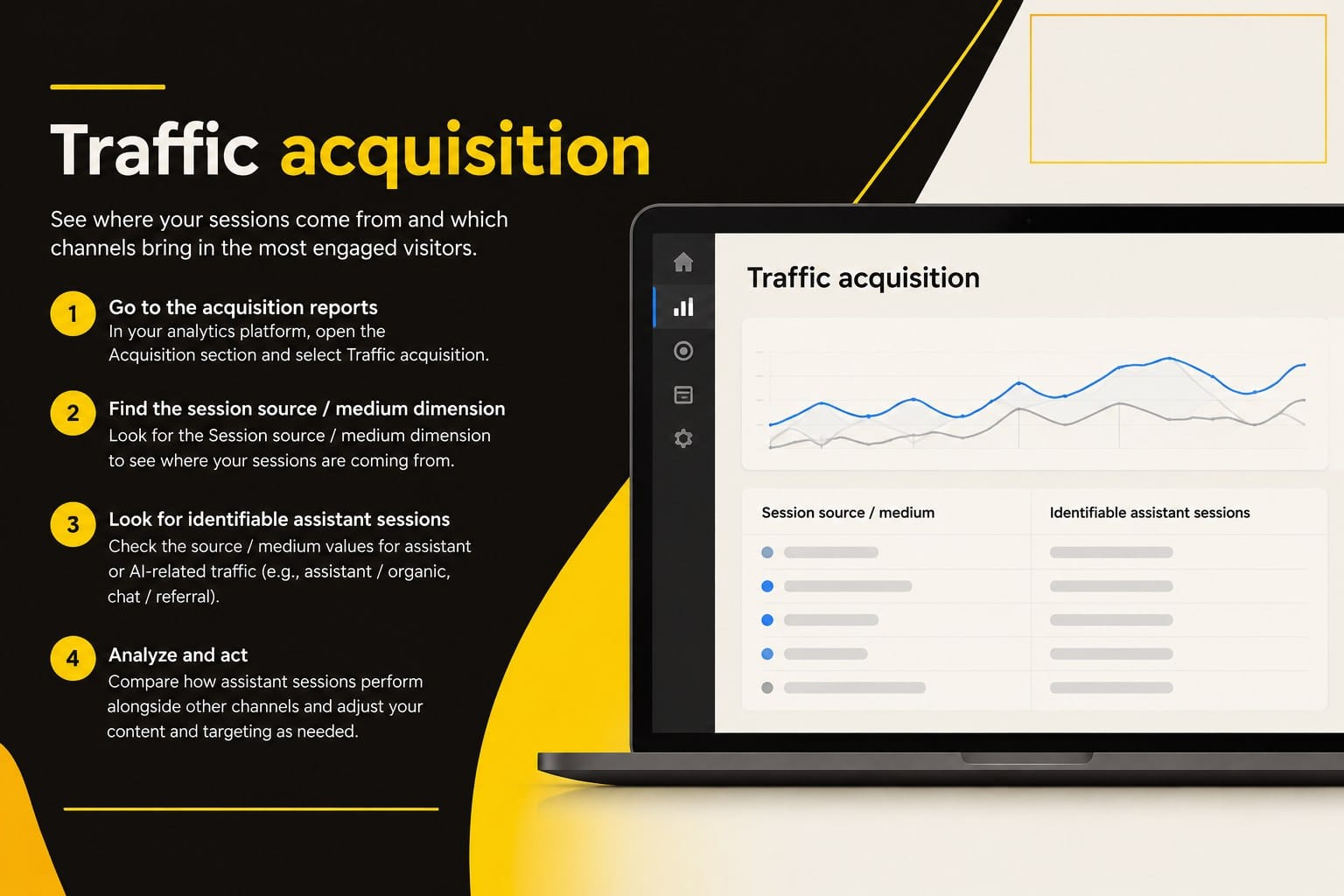
Confirm that you are using the right property and date range. Your website needs a functioning GA4 implementation; a reporting rule cannot recover visits that were never collected.
Follow Google’s Traffic acquisition guidance:
- Open Reports.
- Select Acquisition → Traffic acquisition.
- Review the Session default channel group for the AI Assistant row.
- Change the table’s primary dimension to Session source/medium.
- Inspect the actual source values and media behind the sessions of interest.
- Export or record the date range, dimension, filters, and findings.
Report navigation can vary by property configuration. If Traffic acquisition is missing, an Editor or Administrator can review whether it needs to be added to the report navigation.
Do not restrict your first inspection to the medium referral. Review ai-assistant and any relevant historical or otherwise classified rows. Verify an unfamiliar source before including it.
Use Session Scope for a Visit-Level Review
Google’s scope documentation distinguishes session acquisition from first-user acquisition. Use Session source/medium when investigating the visits in your selected period. First user source / medium answers where a user was originally acquired.
For example, a person first acquired through email might return through an assistant link. First-user source and session source answer different questions. Choose the scope deliberately rather than mixing them in one conclusion.
GA4 assigns acquisition credit using its reporting rules. A source row is a measurement record, not proof that the named source was the customer’s only influence.
3. Maintain a Source Register
Record the source strings actually observed in your property. Don’t assume every platform passes the same hostname, medium, or tracking information across browsers and apps.
The following domains are candidates to inspect, not verified rows from your property or a complete coverage list:
| Candidate hostname | Possible platform context | Validation needed |
|---|---|---|
| chatgpt.com | ChatGPT | Compare with an actual click and source record |
| chat.openai.com | Older ChatGPT hostname | Inspect any historical records |
| perplexity.ai | Perplexity | Check exact source string and medium |
| gemini.google.com | Gemini | Inspect actual collected journeys |
| copilot.microsoft.com | Microsoft Copilot | Check the specific product surface |
| claude.ai | Claude | Inspect actual source behavior |
| grok.com | Grok | Inspect actual source behavior |
| chat.deepseek.com | DeepSeek | Inspect actual source behavior |
For each included source, keep the observed spelling, date first checked, medium, sample landing page, evidence, and rule owner. Add a review date and note any unresolved ambiguity.
Do not classify all traffic from google.com, bing.com, or any domain containing the letters ai as assistant traffic. That creates a larger report at the expense of a meaningful definition.
4. Create an Optional Custom Channel Group
The built-in AI Assistant channel is the starting point. A custom group can help when you need a defined historical comparison or a maintained set of additional validated sources.
Use Google’s custom-channel-group instructions. An Editor or higher role is required.
- Open Admin → Data display → Channel groups.
- Select Create new channel group.
- Name the group, then select Add new channel.
- Name the channel Validated AI Assistant Sources.
- Select + Add condition group and define the Source and Medium conditions below.
- Save the channel, use Reorder to place it before channels matching the same traffic, and select Apply.
- Select Save group, then choose the session-scoped version of this group in a compatible acquisition report.
GA4 uses the first matching channel in the group. Check precedence against AI Assistant, Referral, and any other overlapping definition. Review the custom group before changing the primary channel.
Example Conditions to Adapt and Validate
For a narrowly defined unpaid source group, use Source matches regex, AND Medium matches regex. Add only hostnames and media supported by your records.
Illustrative Source rule:
^(chatgpt\.com|chat\.openai\.com|perplexity\.ai|gemini\.google\.com|copilot\.microsoft\.com|claude\.ai|grok\.com|chat\.deepseek\.com)$Illustrative Medium rule:
^(ai-assistant|referral|app|link)$These are proposed exact-value rules, not a universal platform list. Add a www or other hostname variant only when the actual source value supports it. A tagged source such as chatgpt needs its own verified handling; it will not match chatgpt.com automatically.
The conditions intentionally omit paid media and Organic Search. Verify that this matches your reporting purpose. Keep paid traffic in a separately defined view, and inspect campaign data before interpreting a row as organic discovery.
A custom grouping can reclassify existing collected data in supported reports. It cannot restore missing source information. Record rule changes because they can change how historical results appear.
5. Review Landing Pages and Relevant Key Events
Visit counts become more useful when you know where people entered and what they did afterward.
Use Google’s Landing page guidance: in Traffic acquisition, keep Session source/medium as the primary dimension and add Landing page + query string as the secondary dimension. Alternatively, open the Landing page report and add Session source/medium.
Filter to the validated sources or appropriate assistant channel using the compatible dimensions available in your report. Keep the filter definition with the export.
Review whether the entry page fits the visitor’s likely need. An educational article may help someone learn; a service page may support an inquiry. Give each page a defined purpose before comparing its results.
Google defines key events as recorded actions important to the business. Identify or implement the event that represents the action, validate it, and mark it as a key event where appropriate.
| Action to investigate | What to verify | Business limit |
|---|---|---|
| Estimate request | Successful submission and receipt | A submitted request is not automatically qualified |
| Newsletter signup | Confirmed subscription where intended | A subscriber is not a completed sale |
| Phone-link click | Correct event and link behavior | A click does not prove a connected call |
| Book-purchase link click | Correct outbound destination and event | An Amazon click does not establish a book sale |
Select the relevant key event rather than interpreting an all-events total as leads. Repeated events and test activity can inflate a count. Confirm the event’s trigger and counting approach with the person responsible for measurement.
6. Validate Domains, Redirects, and Sample Traffic
Test the setup using legitimate journeys that you can document. Follow an actual assistant link to your site where available, record the final destination, and inspect the resulting collection and reporting.
Use a fresh test session or other appropriately controlled setup. A click during an existing session may not answer the same acquisition question as a newly started session. Preserve consent and filtering conditions rather than bypassing them.
Check:
- The correct property receives the intended page and event data.
- Redirects preserve relevant query parameters where applicable.
- The observed source and medium match your interpretation.
- The proposed grouping includes the intended source and excludes unrelated sources.
- The landing page and key event are correct.
- Test records are identifiable and handled appropriately in reporting.
Google’s direct-traffic guidance explains that missing or lost traffic information can result in (direct) / (none). Apps, link handling, and redirects need actual investigation. A direct row alone cannot reveal the missing source.
Use diagnostic tools to check implementation and allow standard reports time to process. A self-created UTM test checks your tagging; it does not prove that an organic assistant link naturally passes the same information.
Do not add internal campaign tags to manufacture an AI source. Preserve genuine session acquisition and document what you actually tested.
Connect Identifiable Visits With Business Outcomes
Use the SEO ROI Tracking Worksheet to organize known sources, qualified inquiries, customers, and later financial records. Keep pipeline estimates separate from completed business.
The six connected areas in the Quickest Path to ROI SEO™ book help make the report useful:
- Revenue opportunities: Focus on offers the business can profitably deliver.
- Priority pages: Identify the entry pages supporting those offers.
- Constraints: Investigate poor fit, unclear information, failed actions, or missing measurement.
- Authority: Review whether visitors can evaluate the evidence behind the offer.
- Measurement: Connect known sessions and actions with qualified leads and completed outcomes where evidence permits.
- Expansion: Use the findings to choose the next page or measurement improvement.
For a hypothetical service business, recorded assistant sessions may enter an article and continue to a relevant service page. A form event is useful evidence of an action. The office still needs to determine fit, contact the prospect, and record the sales outcome.
Ask customers how they found the business and retain their responses separately from GA4 attribution. Do not label every branded search or direct visit as AI-generated demand.
A Source-to-Outcome Reporting Worksheet
Source-to-outcome reporting
- Known Source
- Landing Page
- Validated Action
- Qualified Inquiry
- Completed Outcome
Separate evidence at every step.
Keep one consistent reporting definition for each review period. The fields below form a blank worksheet, not a simulated analytics report.
| Field | Record |
|---|---|
| Property and period | Correct property, timezone, and date range |
| Reporting scope | Session, first user, or event attribution; state which |
| Channel and rules | Built-in channel or custom group and rule version |
| Source / medium | Exact observed values |
| Landing page | Actual entry page |
| Sessions | Reported count and relevant filters |
| Relevant key event | Event name, definition, and validated count |
| Qualified inquiries | Business records and qualification criteria |
| Completed sales | Closed outcomes where traceable |
| Reported influence | Customer’s stated discovery source, kept separately |
| Limitations | Missing sources, small samples, filters, or data-quality issues |
| Next action | Owner, improvement, and review date |
Look at counts as well as rates. A percentage based on very few sessions provides limited support for a larger investment.
Frequently Asked Questions
Why Might an AI-Assisted Visit Appear as Direct Traffic?
Source information may be missing or lost during the journey. A customer may also copy a URL or return later without a detectable source. Investigate the actual link and collection behavior. Do not reassign direct traffic to AI simply because an earlier AI interaction is possible.
Do All ChatGPT Links Pass the Same Referral Information?
Do not assume they do. Product surface, link handling, tags, and the visitor’s session context can affect the collected result. Inspect actual journeys and source values in your property, and retain the conditions of each validation test.
Should Google AI Overview Visits Be Grouped With Chatbot Referrals?
Keep their classification distinct. Google’s current GA4 documentation includes AI Overviews and AI Mode in Organic Search and excludes them from AI Assistant. Do not relabel all Google organic visits as AI visits; a separate assertion needs evidence that actually distinguishes the experience.
Should I Use First-User Source or Session Source for a Visit-Level Review?
Use session-scoped dimensions for the visits you are reviewing. First-user dimensions investigate original acquisition. A returning visitor can have different original and current-session sources. Choose the scope that matches the business question.
Can I Label Every Branded-Search Visit as AI-Generated Demand?
No. Branded searches can follow many experiences. Preserve customer-reported AI influence where available, but keep it separate from the source assigned to a session. Explain attribution limits and avoid assigning the same sale full credit in several channel reports.
Make the Report Useful for the Next Decision
Start with the built-in assistant channel, inspect session sources, and validate the pages and events involved. Use the SEO ROI Tracking Worksheet to connect the available evidence with later business records.
If you need help reviewing GA4 source classification, key-event accuracy, or the path from AI discovery to qualified inquiries, Elite SEO Consulting can help define and validate the setup. Call 719-474-9404 to discuss your reporting needs.