
A customer researches a service on Google and receives an AI-generated answer before choosing which website to visit. That creates another place where your information might help the customer understand their options. It also creates another marketing promise to evaluate carefully.
For a business owner, the key question is which improvements make your important pages easier to discover, more helpful during a buying decision, and better at turning relevant interest into a qualified inquiry.
Start with a valuable page and a real customer question. Check eligibility, improve the information and evidence, and establish what you will measure. That gives your team a concrete project instead of a vague instruction to “optimize for AI.”
How Do You Optimize for Google AI Overviews and AI Mode?
Apply Google’s search fundamentals: make important pages discoverable, address unintended indexing or snippet restrictions, and provide helpful information. Review whether each page answers the customer’s question and supports the next decision. Monitor search activity and business outcomes separately. Technical eligibility gives a page an opportunity to appear; it does not guarantee selection.
Use this starting checklist:
- Choose a page connected to a worthwhile customer opportunity.
- Review its access, indexing status, and preview controls.
- Improve the explanation and evidence a buyer needs.
- Connect useful supporting information through internal links.
- Check the next action on mobile and desktop.
- Record search observations, customer inquiries, and later sales outcomes.
How AI Overviews and AI Mode Differ
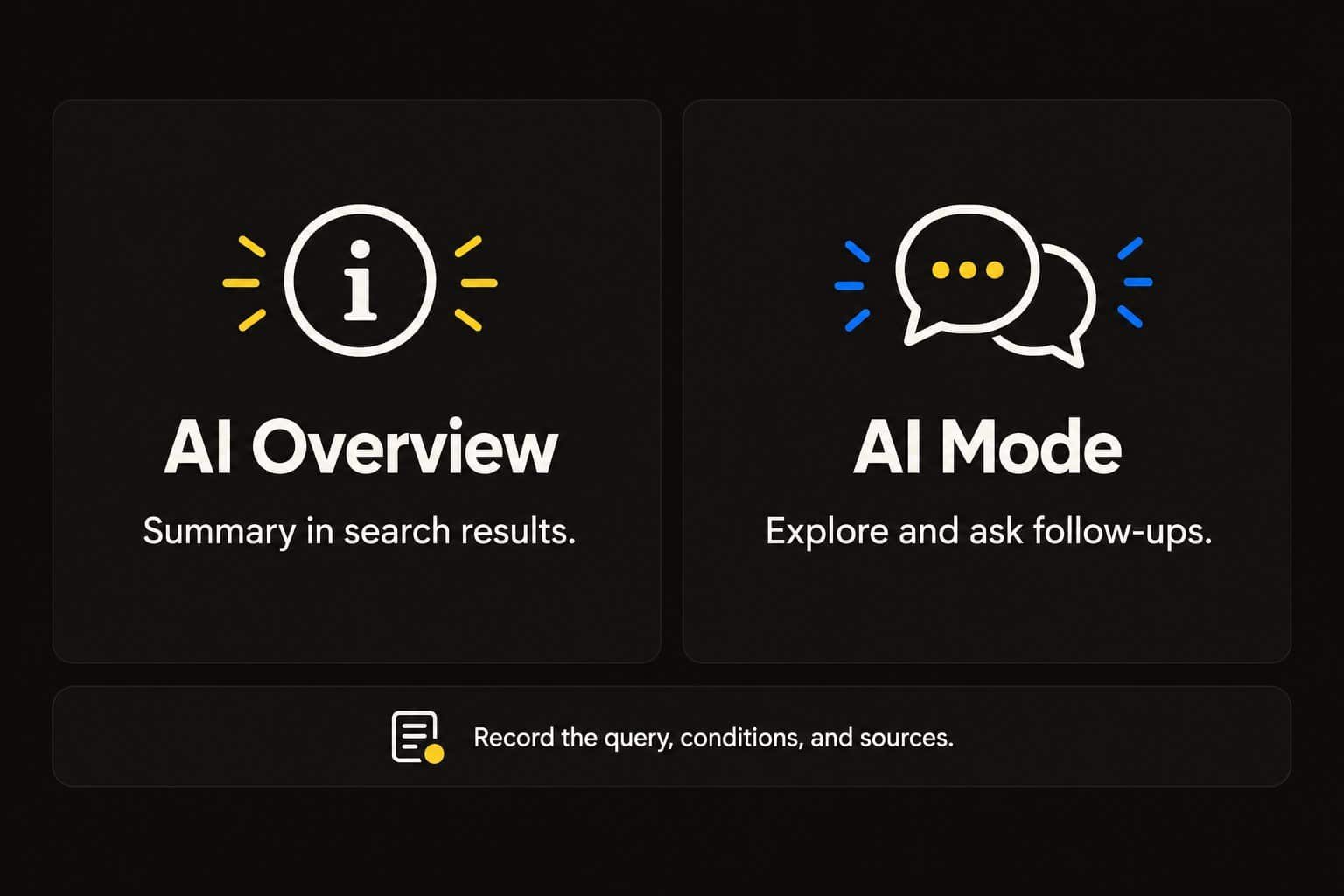
The two experiences serve related purposes, but you should record them separately when you review visibility.
Google describes AI Overviews as generated summaries with information and links, shown when its systems consider them helpful. AI Mode supports deeper exploration and follow-up questions and includes links to web resources.
| Experience | Typical interaction | What to record in a visibility review |
|---|---|---|
| AI Overview | A person searches and sees an AI-generated overview where one appears | Exact query, date, conditions, answer, supporting links |
| AI Mode | A person explores a question and may continue with follow-ups | Initial question, follow-up sequence, conditions, answer, supporting links |
For example, a homeowner might search for driveway repair options, then ask whether resurfacing is appropriate for particular damage. Those questions relate to the same service, but they address different decisions.
Keep that distinction in your content planning. A page that explains the service may need a useful supporting section on suitability and limitations. It does not automatically need a separate article for every possible follow-up.
Google explains that AI Mode can search across related subtopics. My practical recommendation is to cover the meaningful parts of the customer’s decision coherently, rather than guessing a hidden list of related queries and producing a page for each one.
An observed citation in an overview and a citation after an AI Mode follow-up are different records. Neither tells you, by itself, whether someone contacted the business.
Check Eligibility Before Expanding Content
Google’s website guidance for AI features says a supporting page must be indexed and eligible to appear in Search with a snippet. Existing SEO practices apply. Google does not require a special AI file or schema type for these features.
Ask your website administrator to review the specific page you want to improve. Keep three questions separate: can Google access it, is it indexed, and is it eligible for the relevant presentation?
Review Access and Indexing
Google’s technical requirements require crawler access, a successful HTTP response, and indexable content. Meeting them does not guarantee indexing. Use Search Console’s URL Inspection tool to review the page and investigate a documented obstruction.
For a practical review, record:
- The exact page URL and the date checked.
- The reported indexing status and relevant explanation.
- Whether the intended page loads reliably.
- The page Google identifies as canonical, where reported.
- Any access restriction that conflicts with your publishing intent.
- The owner of the correction and the verification step afterward.
Review the evidence before changing configuration. A deliberate restriction on a private page has a different purpose from an accidental restriction on a public service page.
Review Snippet and Preview Controls
Google’s preview-control documentation explains how directives affect indexing and presentation. A noindex instruction can prevent search inclusion. nosnippet prevents text snippets and direct content use in these AI features; max-snippet can limit that use. data-nosnippet Excludes marked text from snippets.
Check page-level settings, applicable response headers, and relevant HTML attributes. An SEO plugin setting is one place to investigate; it is not the only possible source of a restriction.
These controls can reflect a legitimate publishing choice. Change them only after confirming the intended use of the content and the actual restriction. Document the correction so a later reviewer can understand what changed.
Review One Valuable Page Against the Buyer’s Needs
Once you have reviewed eligibility, examine the page as a potential customer would.
Start with the service or product you want to sell and the decision the visitor needs to make. A paving page might help someone understand whether their driveway needs repair, resurfacing, or a full replacement. The answer depends on conditions that may require an inspection.
The page should explain enough for a customer to understand the options and seek the right assessment. It should not diagnose every property from a generic description.
Useful review questions include:
- Is the service and intended customer clear?
- Does the page explain when the service is appropriate?
- Are important limitations and cost factors addressed?
- Does it answer the questions that commonly delay a decision?
- Is there evidence a customer can evaluate?
- Does the next action fit the visitor’s situation?
Use the Content-with-a-Job Planner to define the audience, decision, evidence, and next step before adding sections.
Give the Answer Context
A clear answer near the relevant heading helps readers understand the issue quickly. Follow it with the conditions, reasoning, and examples needed to use it responsibly.
For a repair-versus-replacement question, explain what can be assessed generally and what needs an on-site review. If pricing varies, describe the factors and what an estimate includes. Avoid presenting a number as universal when the underlying work differs substantially.
Use a table when it helps compare options accurately. Use a sequence when the reader needs to complete steps. Choose the format because it serves the question, then check that the information remains readable on a phone.
The objective is to explain better to customers. No particular paragraph length or table format establishes that Google will cite the page.
Support Explanations With Useful Evidence and Visuals
Google’s people-first content guidance encourages original value, reliable information, and clarity about who created the content. Apply that principle by showing what supports a consequential claim.
For a service business, useful evidence might include a documented project, relevant qualifications, a clear process, and honest customer feedback. Match the proof to the customer’s decision.
| Claim or question | Evidence worth considering | What to explain |
|---|---|---|
| Suitability for a particular project | Verified example with comparable conditions | Scope, limitations, and relevant differences |
| Preparation or installation process | Actual process description and photographs | What the work includes and who performs it |
| Performance or business result | Supporting records | Timeframe, measurement, and attribution limits |
| Team expertise | Accurate people and credential information | Relevant role and current qualification |
A photograph can make a project easier to understand. A diagram can explain a process. Keep the essential answer available as readable text, and make sure captions describe what the visual actually demonstrates.
Do not create fictional project images and present them as completed work. Likewise, an illustrative diagram should not imply a result that has never been measured.
Connect supporting pages where they help the reader investigate further. A guide to preparation can lead naturally to a relevant service page. A project example can support a suitability explanation. Avoid adding links simply to satisfy a quota.
These recommendations strengthen usefulness and verifiability. Treat their effect on AI inclusion as something to investigate, rather than an assured consequence.
A Page-Review Worksheet You Can Reuse
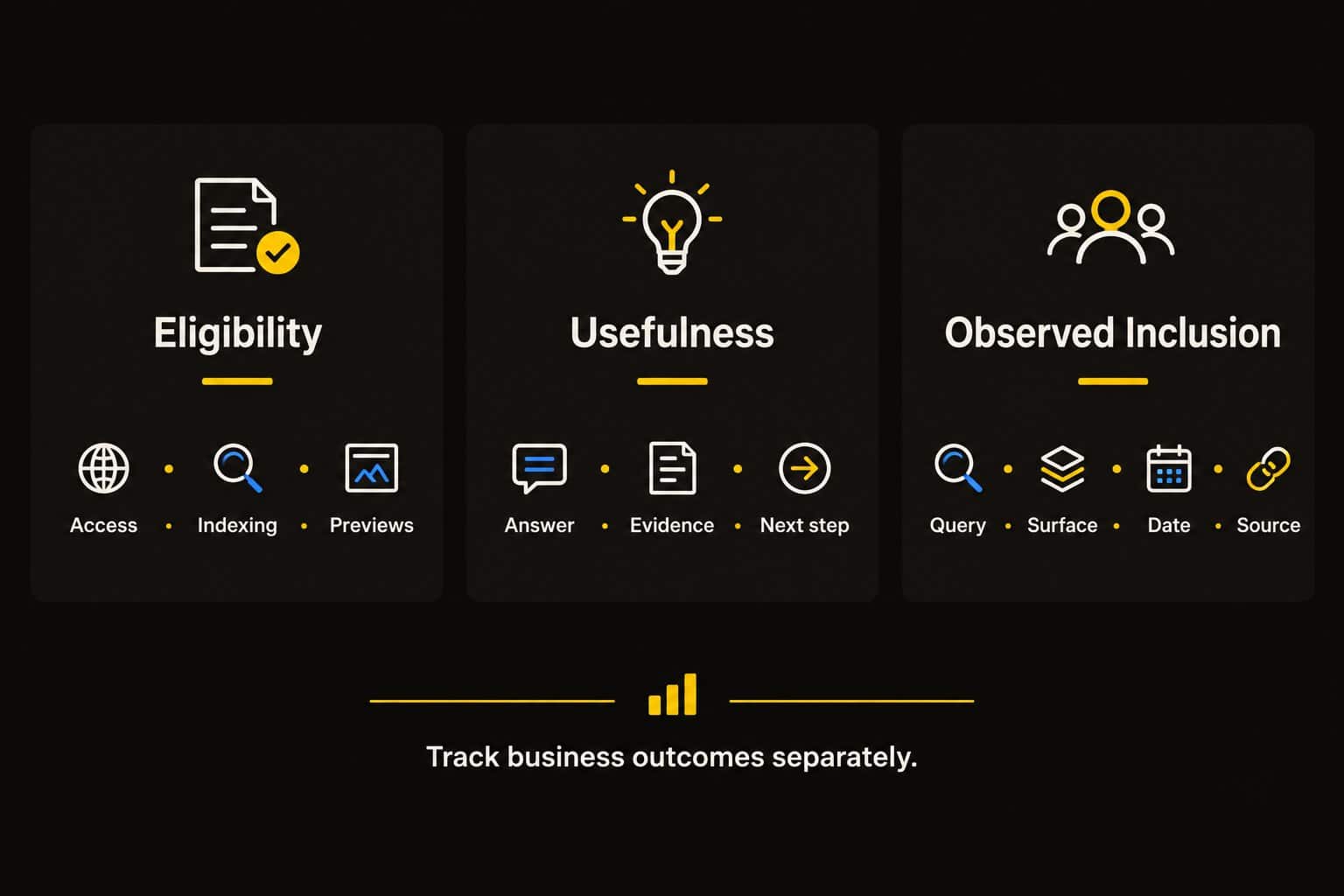
Use one worksheet for one priority page. It separates what your team can verify from what it can only observe.
| Review area | Question | Evidence to record | Possible next action |
|---|---|---|---|
| Customer opportunity | Which valuable decision does this page support? | Customer questions and relevant search evidence | Clarify the intended audience and purpose |
| Technical access | Can the intended public content be accessed? | Page response and relevant inspection findings | Correct a documented obstruction |
| Indexing and previews | What status or restriction is reported? | URL Inspection and applicable directives | Review unintended exclusions |
| Content usefulness | Is an important buying question unanswered? | Specific missing explanation | Improve the existing answer |
| Supporting evidence | Can the reader verify consequential claims? | Project, qualification, process, or source details | Add or correct relevant evidence |
| Customer action | Can a suitable visitor proceed easily? | Mobile and desktop inquiry tests | Repair or clarify the next step |
| Observed inclusion | Was the page linked in the recorded AI experience? | Query, date, surface, conditions, cited URL | Preserve the observation and repeat comparable checks |
| Business outcome | What happened after relevant discovery? | Qualified inquiry, sales record, costs | Investigate value before expanding |
Use present, incomplete, inconsistent, missing, or not applicable where those labels fit. A completed worksheet records findings, not a Google eligibility certificate or an AI ranking score.
The AI Search Readiness Checklist provides a broader way to organize the page review and select useful improvements.
Measure Search Activity and Downstream Outcomes
Build measurement into the project before publishing additional content.
Google’s AI-feature guidance includes these appearances within Search Console’s overall Web performance reporting. Its reporting documentation explains click, impression, and position treatment: external-link clicks count, and an AI Mode follow-up is treated as a new query. Check current reporting before claiming that a dataset isolates AI traffic.
Use three connected layers of evidence:
Observed inclusion: Save the query, surface, date, conditions, and linked page. Record whether the AI answer appeared at all. Include unfavorable observations and retain follow-up context for AI Mode.
Search and website activity: Review relevant page and query trends, available analytics, and useful visitor actions. Label combined search data honestly. A rising total does not establish which feature produced the increase.
Business outcomes: Record qualified inquiries, completed sales, gross profit, and the cost of the work. Preserve customer-reported discovery information, including reported AI influence, without treating it as complete attribution.
The guide to calculating SEO ROI explains the financial side of evaluating search work. For AI-related improvements, the additional challenge is determining how much credit the evidence supports.
Compare periods with relevant context. Seasonality, advertising, shifting demand, sales responses, and other website changes can affect results. If several things change at once, be cautious about assigning the outcome to one improvement.
An increase in citations may warrant further investigation. Documented customer outcomes provide a stronger basis for deciding whether to expand spending.
Apply the Quickest Path to ROI Areas to Google AI Search
The Quickest Path to ROI SEO™ book supplies the broader business-first discipline behind this review. Its six connected areas help keep Google AI work focused.
Revenue opportunities: Choose a profitable offer and the customer decisions associated with it. Favor evidence of demand and suitability over topic popularity alone.
Priority pages: Identify the page that should help the customer understand the offer and take the next step. Improve an existing asset when it can do the job.
Constraints: Locate a meaningful access, explanation, evidence, conversion, or measurement problem. Assign the correction rather than expanding the task list indiscriminately.
Authority: Support the page with accurate, relevant proof and useful connections to other information. Make claims easier to investigate.
Measurement: Keep eligibility, observed inclusion, traffic, inquiries, sales, and ROI distinct. Each answers a different business question.
Expansion: Choose the next investment from the findings. Depending on the evidence, the next investment may be more content, stronger proof, or an improved inquiry process.
Consider a hypothetical paving company improving its resurfacing page. Customers are unclear about when resurfacing is suitable, and the page lacks an explanation of assessment requirements.
The team records a search baseline, reviews access and indexing, adds a clear suitability section with verified project evidence, and checks the estimate form. It then reviews comparable observations and customer outcomes.
The project can make the page more useful across discovery sources. Record any additional AI citations, and support any revenue claim with sales and cost evidence. This example illustrates a work plan, not a client result.
Separate Documented Guidance From Claims You Need to Test
Ask anyone proposing an AI-search tactic to distinguish a platform requirement, an editorial recommendation, and an experimental hypothesis.
You can check a requirement against documentation. An editorial recommendation should explain how it helps the reader. A hypothesis needs a baseline, a defined change, and an honest review of the observations.
If a proposal promises guaranteed citations or a “secret AI score,” ask what is measured and what evidence supports the claim. More technical vocabulary does not make the explanation more reliable.
Keep the experiment proportionate to the opportunity. Improve one important page, document the change, and review the findings before committing to a much larger content program.
Frequently Asked Questions
Will an AI Overview Appear for Every Search?
No. Google shows an overview when its systems consider the feature useful for the query. Record whether it appeared during each observation. Its absence is different from an overview appearing without your page among the sources.
Does Ranking First Guarantee an AI Overview Citation?
No. A strong conventional position does not promise selection in a generated answer. Review the actual sources and question rather than assuming a citation must follow from the ranking. Keep ranking records and observed citations separate.
Is There a Special Schema Type for Google AI Mode?
No special schema type is required. Use appropriate markup that accurately represents the page, and review the existing output before adding another plugin. A markup change alone does not establish that Google will include the page.
Does Google Search Require an llms.txt File?
No. Google does not require an AI text file for inclusion in these features. If a provider proposes one, ask what additional purpose it serves and why that task deserves priority for your business.
Can AI Overview Clicks Be Treated as a Separate Channel Without Checking Current Reporting?
No. First establish what the available report actually separates. Do not relabel combined Google search traffic as AI Overview traffic. Keep manual observations, available search reporting, analytics, and customer-reported influence distinct, then explain any attribution limits.
Choose One Page Worth Improving
Select a page tied to a valuable customer decision. Review eligibility, information quality, evidence, and the inquiry path. Use the AI Search Readiness Checklist to document the first useful improvement and assign a review date.
For help connecting Google AI search readiness with priority pages and business measurement, Elite SEO Consulting can evaluate your next practical step. Call 719-474-9404 to discuss your customer opportunity, current website, and the evidence behind your priorities.