
Your crews may complete useful work every week while your website continues making the same broad claims it made two years ago.
The photographs remain on someone’s phone. The scope lives in a job record. The estimator remembers why the customer chose a particular approach. Meanwhile, the service page says the company provides quality workmanship.
Completed projects can back up that claim. They help prospective customers see the work you actually perform, understand relevant constraints, and judge whether your company might fit their own project.
Start with one service you want to support. Choose a completed job that answers a meaningful customer question, assemble a reliable record, and explain what the evidence shows. Then place it where a suitable customer can use it.
A useful project example does more than decorate the website. It helps a person make a better decision about contacting the business.
Choose Projects That Support the Work You Want to Win
The largest or most photogenic job is not automatically the best example for your next website improvement.
Choose work that relates to an important service, a customer concern, or a project type the business can accept. Consider whether the evidence helps explain scope, delivery, property fit, or a meaningful decision.
A painting contractor promoting exterior preparation may benefit from an example that clearly shows the starting condition and the work included. A gutter company promoting replacement may need evidence of a comparable property and the confirmed installation scope.
Connect the selection to your operating priorities. If you want more of a particular service, show relevant capability rather than relying entirely on projects outside that offer.
Use the SEO Opportunity Prioritization Checklist to compare the potential usefulness of the improvement with the effort needed to complete it.
A modest project with a clear record can be more useful than an impressive project nobody can explain accurately.
Decide What Question the Project Should Answer
Give each project example a specific purpose before writing it.
A homeowner may want to know whether you handle occupied properties, perform a particular preparation step, or work on a similar project type. A property manager may need to understand access coordination or phased delivery.
Choose the question the actual record can answer. Don’t assume a photograph proves everything the business wants to claim.
An image of a finished surface may show appearance. It does not establish the preparation method, material specification, project duration, or how the work performs over time. Those details need their own support.
The Content-with-a-Job Planner can help connect the intended customer, question, evidence, and next action.
This keeps the example focused. You do not need to turn every job into a lengthy case study. You need enough verified information to answer the question you selected and help the reader take an appropriate next step.
Build a Reliable Record Before Writing the Story
Begin with the source material.
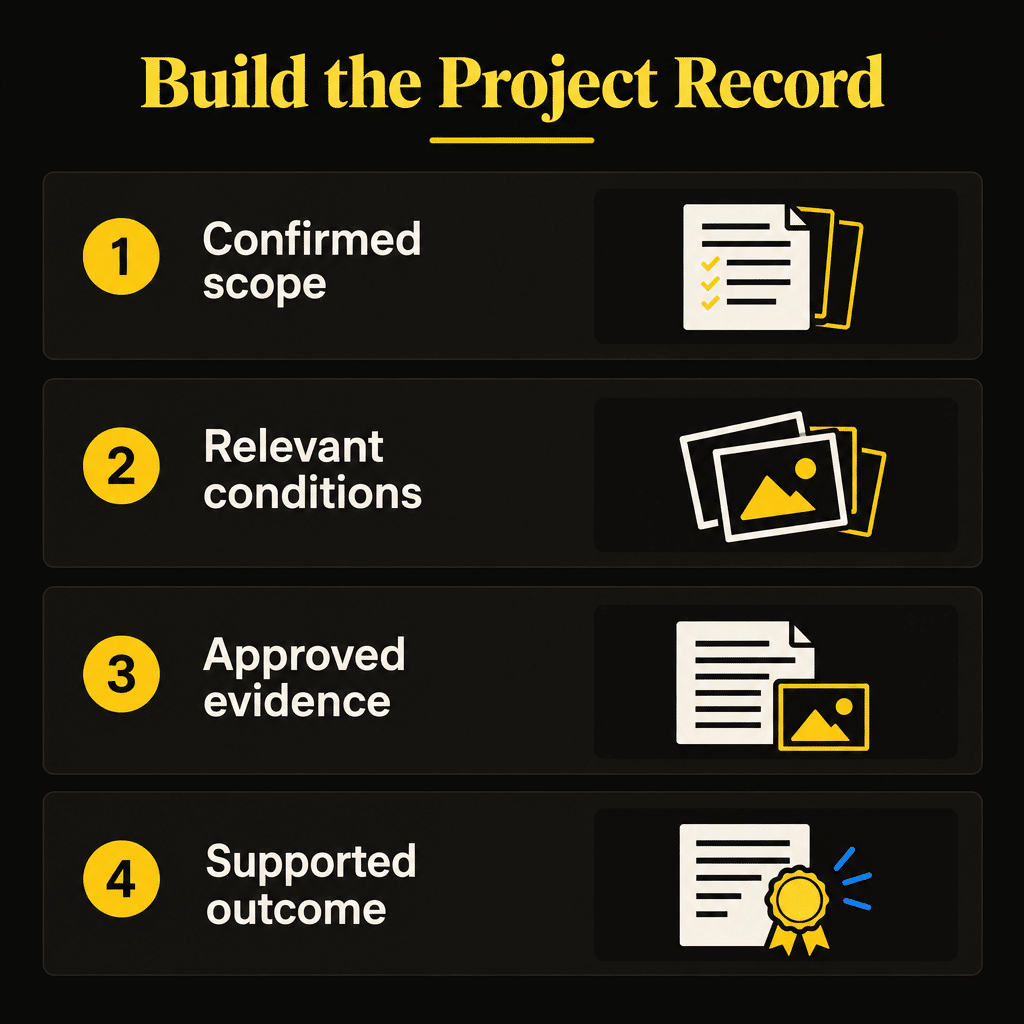
Use the job record, approved scope, photographs, completion notes, and confirmation from someone who knows the work. Resolve disagreements before publishing, rather than letting the writer choose the version that sounds best.
Keep the underlying record connected to the website example so future editors can verify or update it.
| Record item | What to confirm |
|---|---|
| Service and project type | What the business actually performed |
| Starting situation | What was observed or reported, with the distinction retained |
| Agreed scope | Included work and meaningful exclusions |
| Relevant constraints | Access, timing, property use, or other documented conditions |
| Work performed | Confirmed actions and changes to the scope |
| Completion status | What was completed and whether anything remained |
| Evidence | Photos, notes, measurements, or customer statements supporting the description |
| Publication approval | Approved assets, wording, location detail, and attribution |
| Related service page | Where the example helps a customer evaluate the offer |
Separate internal identifiers from public details. A job number can help your team retrieve the record without appearing on the website.
Unknown information should remain unknown. Leaving out an unconfirmed detail is better than manufacturing a polished explanation around it.
Capture Images That Explain the Work
Plan photographs around the customer question.
A useful set may include the starting condition, a relevant stage of the work, and the finished scope. Choose images that make those details understandable instead of uploading every photograph taken that day.
For comparison images, preserve a reasonably consistent viewpoint where possible. Explain changes in angle, lighting, or scope when they affect how a reader interprets the comparison.
Label work-in-progress images accurately. Don’t let an unfinished stage be mistaken for the final delivery. Likewise, a close-up should not imply that it represents the entire property.
Capture relevant details through the team’s normal, safe work process. Do not interrupt safe operations or ask someone to stage an unsafe activity for a better photograph.
Retain the original files and connect each image to the appropriate project record. That makes it easier to select, crop, describe, and verify the material later.
A finished-project gallery can look attractive. A clear explanation helps a customer understand the work.
Confirm What You Can Publish
Review the material before it moves from a private job record to a public webpage.
Confirm that the company can use the selected images and that the customer has approved the identifying details and statements you intend to publish. Keep a record of that approval and its scope.
Avoid including unnecessary personal information. Inspect photographs for visible addresses, faces, license plates, documents, and other details unrelated to the explanation.
A broad service-area description may provide enough context. You do not need to disclose an exact residential address to demonstrate that a project occurred.
If the customer approves photographs but prefers anonymity, describe the relevant property and work without adding a name or precise location. Keep the description consistent with the approval.
When material cannot be cleared, choose a different example or publish only the approved information. The project may still be useful internally.
Make this review part of the workflow so the writer is not trying to resolve ownership, customer preferences, and factual uncertainty on publication day.
Explain the Situation, Work, and Outcome
A practical project narrative follows the customer’s decision.
Describe the relevant starting situation, the agreed work, the constraints that mattered, what the team performed, and the supported outcome. Keep technical detail only when it helps the reader understand the service.
Attribute customer observations accurately. “The customer reported peeling paint” and “our inspection documented peeling paint” describe different sources of information.
Explain why a documented decision mattered without making the business appear certain about facts it did not establish. If the record does not support the reasoning, ask the person responsible or omit the explanation.
Describe completion in terms the evidence supports. A photograph can show the finished appearance. A measured result needs an actual measurement and enough context to interpret it.
Be precise about limits. If the contracted work covered one part of a property, say so. Avoid implying a complete renovation when the job involved a smaller scope.
The Entity & Trust Signal Checklist can support the wider review of business identity and evidence. The project record remains the source for the actual story.
Use Before-and-After Comparisons Honestly
A before-and-after pair can make a change easy to see. It can also invite conclusions the images don’t support.
Identify what changed and what the comparison covers. If the images show a different view or a different portion of the property, make that clear.
Distinguish a visible improvement from a broader claim about performance. A repaired or replaced component shown in a photograph does not by itself prove a lasting reduction in a problem.
When you have documented performance evidence, describe the method, timing, and limits. If you don’t, limit the claim to the completed work and visible condition.
Use editing to improve presentation without changing the apparent work. Cropping for clarity or protecting an identifying detail differs from altering a defect or adding work you never performed.
Generated imagery and stock photos can illustrate general concepts, but they cannot serve as records of your completed projects. Do not insert them into a comparison as though a crew produced the depicted result.
Choose Between a Project Block and a Separate Page
Not every completed job needs its own URL.
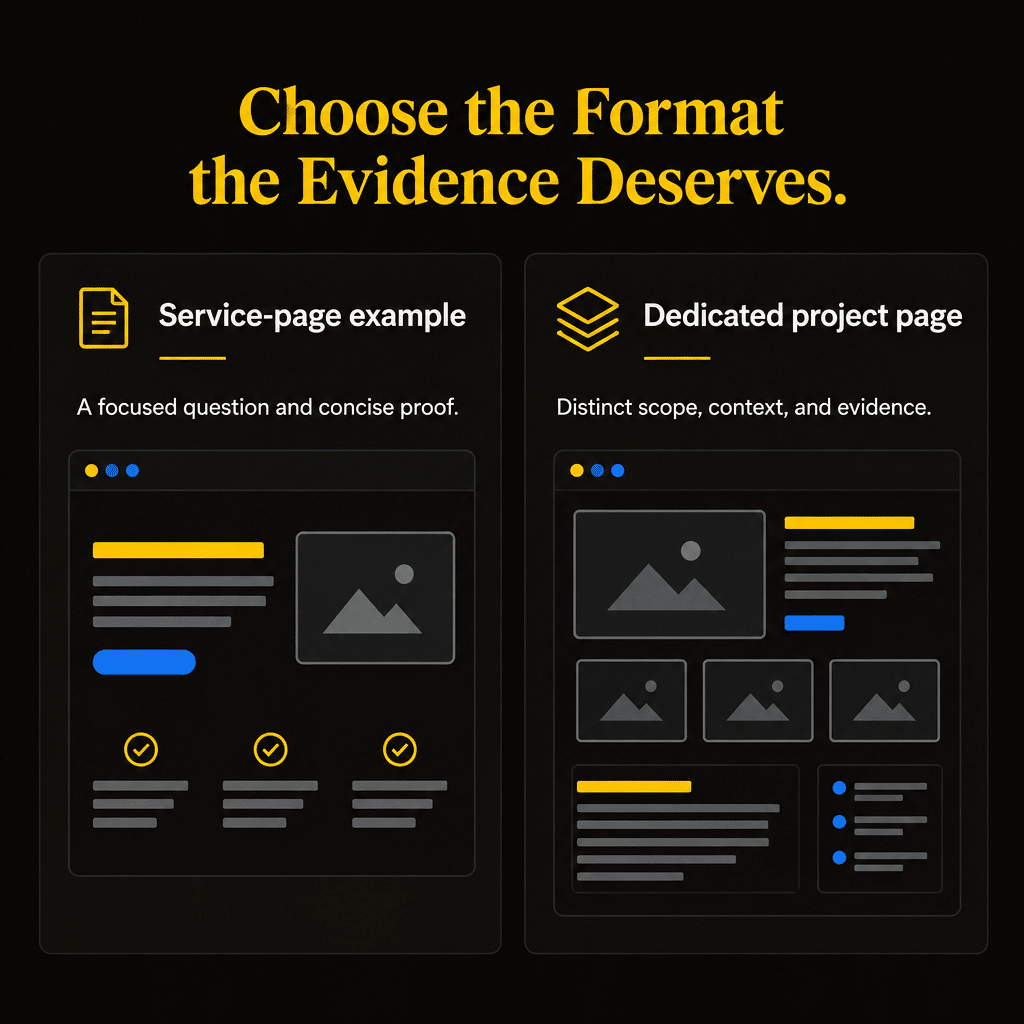
A short example can sit directly on the relevant service page when a few photographs and a concise explanation answer the customer’s question. A separate project page is useful when there is enough distinct information to justify a deeper account.
Use the amount and purpose of the evidence to choose the format.
| Format | Appropriate use |
|---|---|
| Service-page project block | A focused example supporting the offer the visitor is evaluating |
| Dedicated project page | A substantial, distinct account with scope, constraints, evidence, and useful explanation |
| Selected gallery with captions | Several visual examples where short descriptions supply sufficient context |
| Updated existing project account | New verified information about the same project rather than another repetitive page |
Avoid creating dozens of near-identical pages that merely change the project location. Each page should give the reader useful information beyond another photograph and a city name.
If the evidence is limited, publish a smaller example. A dedicated page is a format choice, not an award for finishing a job.
Connect the Project to the Relevant Service
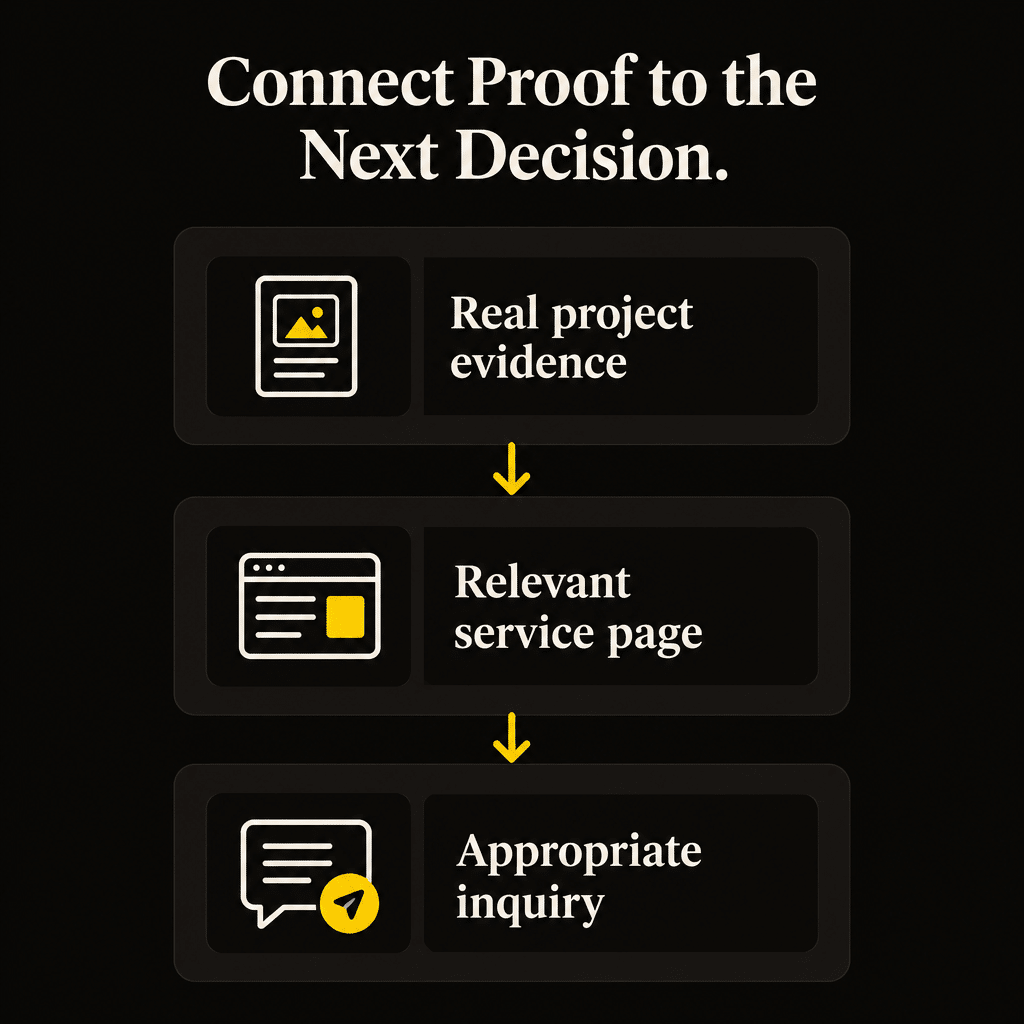
Place the evidence where it can support the next decision.
On a project page, identify the service performed and offer a contextual link to the actual service page. On the service page, summarize the relevant example and link to the fuller account when additional detail helps.
Choose anchor wording that explains the relationship. An exterior painting example should connect to the exterior painting offer. Avoid directing every project to a general homepage when a more relevant destination exists.
Give the project a next step that matches the customer’s situation. A planned-service example may lead to an estimate request. Other services may call for an availability conversation or another appropriate action.
Keep the invitation realistic. Completing a similar project doesn’t mean you can quote the visitor’s property without an assessment.
Review the contact destination as part of publication. An informative project account can still lose its practical value if the estimate link leads to a broken or confusing form.
Make Images Understandable to People and Search Engines
Project photographs need context on the page.
Use captions to explain relevant visible details and readable text for scope information the image cannot communicate. Keep image labels and filenames specific without stuffing them with repeated service and location terms.
Google’s image SEO guidance recommends descriptive filenames and alt text, relevant nearby text, and standard HTML image elements. It also addresses balancing image quality with loading performance.
Alt text should convey the information an image contributes. The W3C tutorial on informative images explains that the appropriate text alternative depends on the image’s purpose and context.
For an illustrative painting example, a useful description might identify prepared exterior trim before painting or completed trim after the documented work. Adapt it to the actual photograph. Do not add an unseen location, certification, or performance claim.
Use appropriately sized image versions and inspect the result on a phone. A large gallery should not make the service explanation or contact route difficult to reach.
Work Through One Illustrative Project Brief
Consider a hypothetical painting contractor selecting an exterior preparation and repainting project. This is a teaching example, not a client story or a report of results.
The intended reader is a homeowner comparing companies for similar planned work. The project example’s job is to explain the documented preparation scope and show the finished appearance.
The writer would first verify the starting condition, the agreed work, the relevant photographs, and the completion record. Any statement about customer expectations or a change in scope would need support from that record.
A brief could then identify the service, describe the confirmed preparation and painting steps, explain a documented access condition, and caption the selected images. It would omit exact location and customer identity unless cleared for publication.
A small block on the exterior painting page could answer the main question. A separate page would be justified only if the record supported a fuller useful explanation.
The next action would lead to the actual exterior painting inquiry process. None of these editorial choices will increase rankings, inquiries, or bookings. Those outcomes need their own evidence after publication.
Make Project Collection Part of Job Completion
A dependable process is easier to maintain than occasional requests for someone to send “good photos.”
Assign responsibility for collecting the approved material when the job closes. Give that person a short set of fields and a clear destination for the files.
The person documenting the work should record what they know, not write a marketing story. A concise account of scope, relevant conditions, completion, and image context gives the writer a useful starting point.
Assign a separate review step when needed. The person checking the page should confirm the facts, permissions, service connection, and next action before publication.
Choose a manageable collection rhythm based on job volume and available time. You do not need to publish every completed job. You need a reliable supply of examples that serve important customer decisions.
Keep the record searchable by service and project type. This prevents an excellent example from disappearing into a folder described only by the upload date.
Keep Older Project Examples Accurate
Completed work is historical evidence.
Retain the actual completion date when it is relevant and distinguish it from the date the page was published or updated. Updating the webpage does not make an older job seem recent.
Review whether the example still represents services and methods the business offers. Keep material that remains useful, and clarify differences when the current offer has changed.
As part of maintenance, check links, image display, customer preferences, and descriptions. If an identifying detail needs to be removed, apply the change wherever that material appears.
When a project has new verified information, update the existing account where it belongs. Do not automatically create a second page that repeats the same scope and photographs.
Preserve the source record even when you revise the public presentation. Future editors should be able to distinguish a factual update from a wording or layout change.
Evaluate Whether the Evidence Helps the Customer
Measure the role the project example is supposed to play.
A service-page block may help visitors evaluate the offer without sending them to a separate page. A dedicated project page may support discovery, assist service-page visits, or help during an estimate conversation.
Track the actions you can observe, such as visits to the related service, inquiry progression, or customers mentioning an example. Keep those signals separate from proof that a project page caused a sale.
Ask the office and estimators whether the examples answer recurring questions. Their observations can identify missing explanations, but don’t turn them into unsupported numerical claims.
Record when the material was added and what changed. Consider other influences, including service demand, traffic sources, availability, and wider website changes, before attributing a difference in bookings to the project content.
If an example attracts attention from people seeking work you no longer perform, revise the context or choose evidence that better represents the current offer.
The business purpose is clearer evaluation by suitable customers, followed by an appropriate contact opportunity. A larger gallery alone does not achieve that.
Frequently Asked Questions
Can I publish a project example without naming the customer?
Yes, when the approved material supports an anonymous account. Describe the relevant service, property type, scope, and evidence without unnecessary identifying details. Confirm that the selected photographs and location description match the customer’s approval.
What if I only have photographs of the finished work?
Use them to support the information they can and explain the scope from a verified record. Do not invent a starting condition or manufacture a before image. A finished-work example can still help customers understand the service.
Should every completed job receive its own project page?
No. Choose projects that answer useful questions and contain enough distinct evidence for the format. A concise service-page example may be sufficient. Create a dedicated page when the additional explanation gives the reader meaningful value.
Can I improve project photos with AI editing?
Keep edits consistent with an accurate record of the work. Do not add completed work, remove defects, or change the result customers are evaluating. If an image is materially illustrative rather than documentary, identify its role clearly and keep it separate from project evidence.
Should I publish the project price?
Publish it only when you have approval, a reliable record, and enough scope and timing context to avoid misleading comparisons. A historical project price is not a current quote for another property. Omit it when it would create an inaccurate expectation.
Put the Work You Have Completed to Work on Your Website
Select one useful completed project and connect it to an important service.
Verify the record, confirm the approved material, explain what the evidence shows, and give the customer a relevant next step. Start with the format the information deserves and build a collection process your team can sustain.
For a broader method of choosing website improvements around business value, explore Quickest Path to ROI SEO™. Use the book and companion resources to prioritize useful evidence alongside the pages it should support.
If you need help connecting real project examples with contractor service pages and qualified inquiries, see Elite SEO Consulting’s home improvement SEO services or call 719-474-9404.