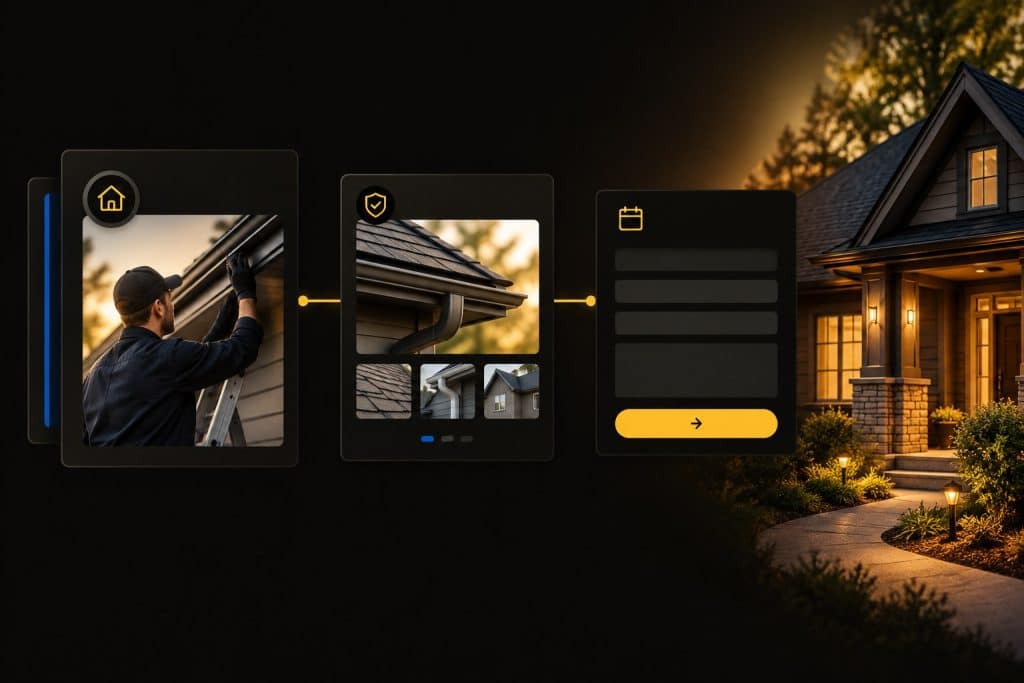
A homeowner can find your service page, read the offer, and still leave because one practical question remains unanswered: what happens if I contact this company?
The page may describe the work beautifully while saying little about coverage, estimates, scheduling, or the information needed to begin. A prominent contact button cannot supply those missing answers. It can only send the customer elsewhere to find them.
A useful home service page helps a suitable customer recognize the offer, evaluate relevant evidence, and request an estimate with reasonable confidence. That requires clear information and a dependable contact experience.
Start with one important service. Define who the page should help, what those customers need to decide, and the next action your team can actually support. Then build the page around that decision.
Give the Page One Clear Business Job
Before choosing a layout, finish this sentence: “This page helps this customer evaluate this service and take this next step.”
For a residential gutter installation page, the customer may be a homeowner considering replacement gutters. The next step might be requesting an assessment and estimate. For a maintenance service with standard pricing, the appropriate action could be to schedule directly instead.
The distinction matters. An estimate page should not imply that completing a form books the work or produces an immediate final price when neither is true.
Specify the intended service, customer, territory, and inquiry outcome in a short brief. The Content-with-a-Job Planner can help organize the audience, essential answer, supporting evidence, and next action before production begins.
Give the writer, designer, and office team the same brief. Otherwise, the writer may promise a consultation, the button may offer an instant quote, and the office may receive a generic contact message. That is a remarkably efficient way to create confusion.
Match the Opening to the Service the Customer Wants
The beginning of the page should make the offer recognizable without requiring a long scroll.
Use a direct heading that names the service. Explain the relevant property or project types and indicate the actual coverage. Give customers an obvious way to request the next step.
A hypothetical gutter contractor might introduce residential gutter installation, explain that the assessment considers the property’s layout and drainage needs, and offer an estimate request. That example describes page content, not an actual company or a promised result.
Avoid opening with a broad statement that could belong to any contractor. “Quality solutions for every need” doesn’t make it clear whether you install, clean, or repair gutters.
Keep important information available as readable page text. An attractive hero graphic can support the message, but customers shouldn’t have to decipher tiny words embedded in a photo to understand the service.
Use the Search Intent Worksheet when the page’s purpose is uncertain. Someone comparing installation providers needs different information than someone seeking instructions for cleaning an existing system.
Explain the Scope Without Requiring Technical Expertise
Customers need enough detail to understand whether their request belongs here.
Describe the work you perform in ordinary language, including relevant options and meaningful exclusions. Explain technical terms when they affect the decision. Do not make visitors identify the exact component or solution before they can contact you.
For gutter installation, that could mean describing the assessment, removal of existing gutters when included, proposed installation, and related drainage considerations. The exact scope must come from the business rather than a generic template.
If you handle installation but not cleaning, make that distinction clear. If a repair service exists elsewhere on the website, offer a relevant route to it.
Avoid turning qualification into an interrogation. The page should help homeowners recognize a possible fit while leaving diagnosis and detailed scope confirmation to the appropriate conversation.
Use actual customer questions to improve the explanation. If the office repeatedly explains whether disposal is included or whether detached structures are eligible, answer those questions where customers evaluate the offer. Verify the answers with the people delivering the work.
State Coverage and Availability Accurately
Customers need to know whether the company can reasonably serve the property.
Describe the territory in a way the office can use consistently. Name the relevant cities or areas, and explain how to check eligibility when boundaries are complicated. A request form can collect a city or ZIP code before asking for a full address if that is enough for the first review.
Keep availability language aligned with operations. If the team must discuss dates after reviewing scope, say so. Don’t offer a guaranteed appointment or installation date in copy that nobody maintains.
Different services may need different expectations. Planned projects can begin with an assessment request. Services that require a more immediate availability conversation may need a direct phone route.
You do not need to display the entire crew calendar. Explain the next scheduling step and any material limitations the customer should know before making contact.
Review these statements when coverage, staffing, or service availability changes. An old promise can keep attracting requests long after it no longer matches the business.
Put Relevant Evidence Near the Decision It Supports
Proof should help the customer evaluate this service.
Use genuine project photographs, accurate descriptions, relevant reviews, and verified business information. Explain what a project shows rather than placing unexplained images in a large gallery.
For the hypothetical gutter page, a real project example could describe the property type, the confirmed scope, and the installation details visible in the photographs. Include only information the actual project supports.
Place that evidence near the related service explanation. A homeowner considering an installation shouldn’t have to leave the page and search a general gallery to see whether the company performs comparable work.
Credentials also need context. Identify the actual credential and its relevance, and keep its status current. Avoid generic badges that imply qualifications the business does not hold.
The Entity & Trust Signal Checklist can help organize the review of business identity and evidence. It does not replace checking the underlying facts.
Stock photography can illustrate a concept, but don’t present it as the contractor’s completed work. The same applies to generated imagery. A convincing picture is still not a project record.
Explain What an Estimate Request Starts
The estimate process is part of the offer.
Tell customers whether their request starts a phone conversation, a remote review, an on-site assessment, or another appropriate step. Explain how scope and scheduling are confirmed and how the estimate will be provided.
State any applicable assessment or estimate fee accurately. Use “free estimate” only when it matches the actual terms. If conditions apply, put them where customers make the request.
Clarify whether submission is a request for contact or a confirmed appointment. A calendar tool should reflect real availability and the actual commitment it creates.
If your team provides preliminary ranges before an assessment, identify them as preliminary and explain the main factors that can change the price. Do not describe a rough range as a final quotation.
The goal is predictable expectations. Customers do not need your internal workflow chart, but they should understand the next interaction well enough to decide whether to begin.
Use Action Wording That Matches the Next Step
Button text should describe the action the visitor is taking.
“Request an Installation Estimate” is useful when the form begins an installation-estimate conversation. “Check Appointment Availability” fits a process that first checks scheduling. Choose the wording based on the actual offer.
Keep the primary action consistent across the page. A button near the opening, one after relevant proof, and one near the conclusion can all lead to the same appropriate destination when that placement helps the reader.
A phone option can support customers who need a conversation. Make the number recognizable, and confirm that the mobile phone action reaches the intended business line.
Avoid competing requests at the main decision point. A newsletter signup, unrelated promotion, and estimate button should not all demand equal attention from a homeowner ready to discuss the service.
Do not label a general inquiry form “Get Your Price Now” unless it actually provides the stated price. More ambitious wording cannot change what happens after the click.
Ask for Information Your Team Can Use
An estimate form should collect enough information to begin a useful response.
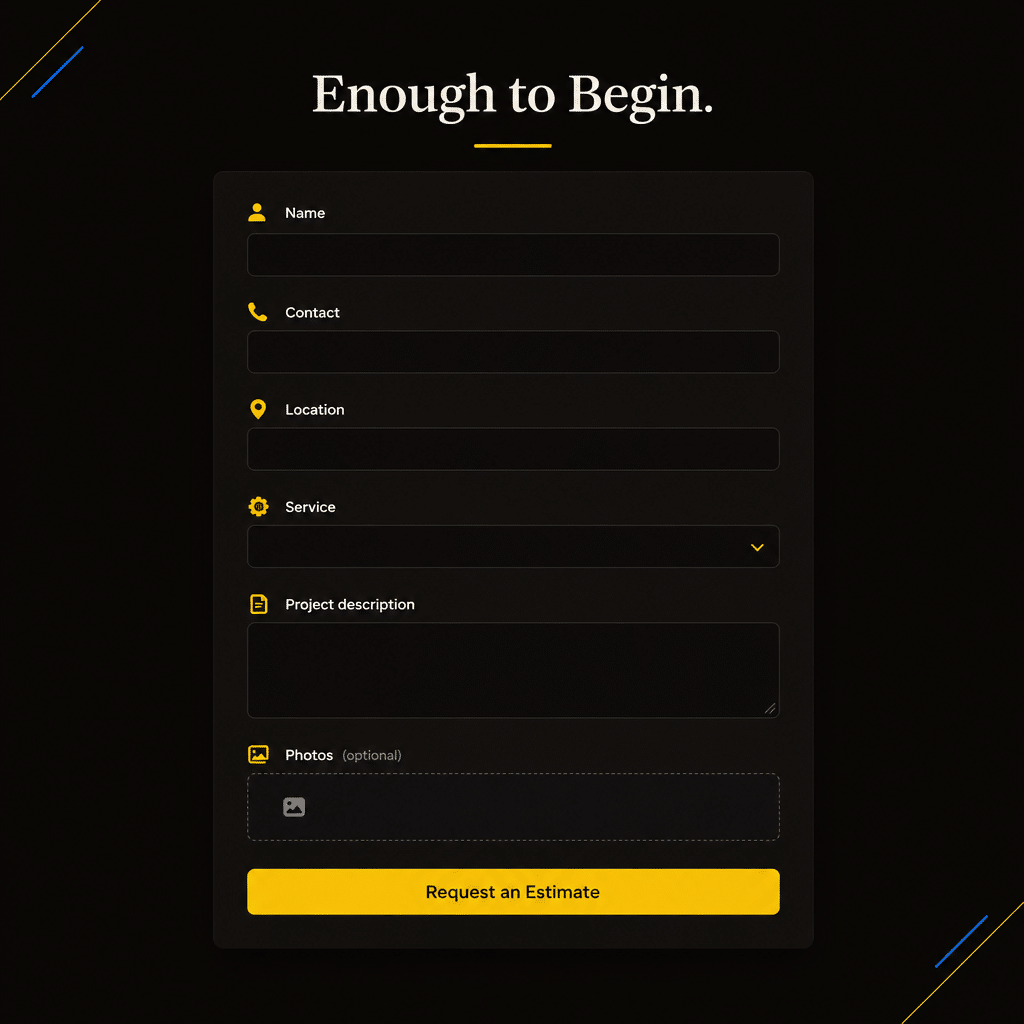
Start with what the receiving person needs: a way to contact the customer, the requested service, location information, and a short description of the project. Add other requirements only when they serve the first review.
The appropriate fields vary by service. No single number makes every form effective.
For a planned installation, this is a reasonable starting discussion with the office team:
| Information | Purpose | Initial approach |
|---|---|---|
| Name | Identify the request | Ask for a usable contact name |
| Contact method | Arrange a response | Collect the information needed for the chosen route |
| City or ZIP code | Check coverage | Use the level of detail needed initially |
| Service requested | Route the inquiry | Provide relevant, understandable choices |
| Project description | Understand the need | Allow the customer to describe uncertainty |
| Desired timing | Discuss scheduling | Include “not sure” when appropriate |
| Project photos | Support preliminary review | Make optional unless genuinely necessary |
Avoid requiring information the customer cannot reasonably know. An exact material specification may belong in an assessment rather than the first form.
Review each required field with the person receiving the request. If nobody uses the answer until later, consider collecting it later. If omitting the answer prevents a useful response, explain why it is needed.
Make the Form Understandable and Usable
A short form can still be difficult if its labels disappear, errors are vague, or required fields are unclear.
Use persistent labels that describe each field. W3C guidance on labeling form controls explains how to associate labels with their controls so people using assistive technology can identify them.
Mark required and optional information clearly. Give brief instructions where a format or choice could be confusing. The W3C form-instructions tutorial addresses those needs and explains the limitations of relying on placeholder text.
Use service choices a homeowner can understand. “Tell us what you are noticing” can be more useful than forcing the customer to select a diagnosis they are not qualified to make.
When submission fails, identify the problem and explain how to correct it. Preserve entered information when practical. W3C’s form notification guidance supports clear success and error feedback.
As part of implementation, check keyboard navigation, visible focus, field labels, and the experience with assistive technology. These are usability tasks with direct consequences for customers.
Treat Mobile Use as a Complete Customer Experience
Open the page on an actual phone and complete the entire estimate-request path.
Read the opening, find the relevant scope, review proof, open the form, enter information, and submit a test request through an approved test process. A desktop preview alone will not reveal every practical problem.
Check whether the on-screen keyboard hides instructions or the submit control. Confirm that selections are easy to use, error messages stay visible, and large images don’t make the page hard to navigate.
If you offer photo uploads, test the permitted formats and sizes. Explain restrictions before the customer spends time trying to attach files.
Review sticky contact bars, chat tools, cookie notices, and popups together. Individually, each may seem reasonable. Together, they can cover the very action the customer came to take.
Make essential service and contact information available without forcing visitors to play a video or open an oversized gallery. Keep the experience useful for customers working with limited connectivity as well as those viewing it on a large screen.
Confirm Submission and Verify Delivery
The customer needs to know whether the request succeeded.
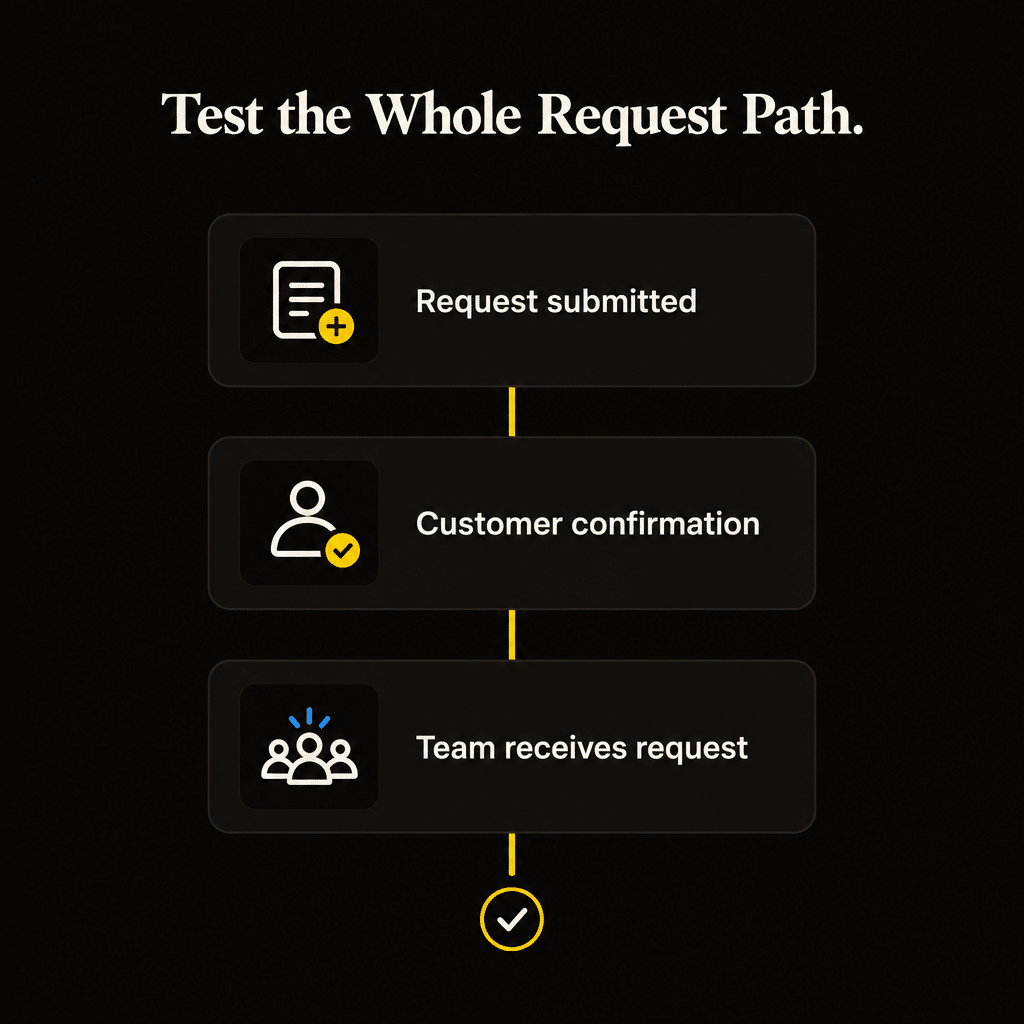
Use a confirmation message that accurately describes what happened. Explain the next step, the operating periods in which responses occur, and an alternative contact route if needed.
A successful submission should not be described as a booked appointment unless the system actually confirmed one. Likewise, a page should not promise a response time the team cannot maintain.
Test the operational destination as well as the visible confirmation. Confirm that the request is stored or delivered where expected, includes the useful field values, and reaches the person responsible for responding.
Check notification settings after changes to forms, email routing, or integrations. A thank-you message doesn’t prove the office received the inquiry.
Keep the test distinguishable from customer requests and marketing results. The purpose is to verify the path without adding a pretend lead to the performance report.
Build a Page Order That Answers the Customer’s Questions
A page needs a useful sequence, but it does not need to match every competitor’s layout.
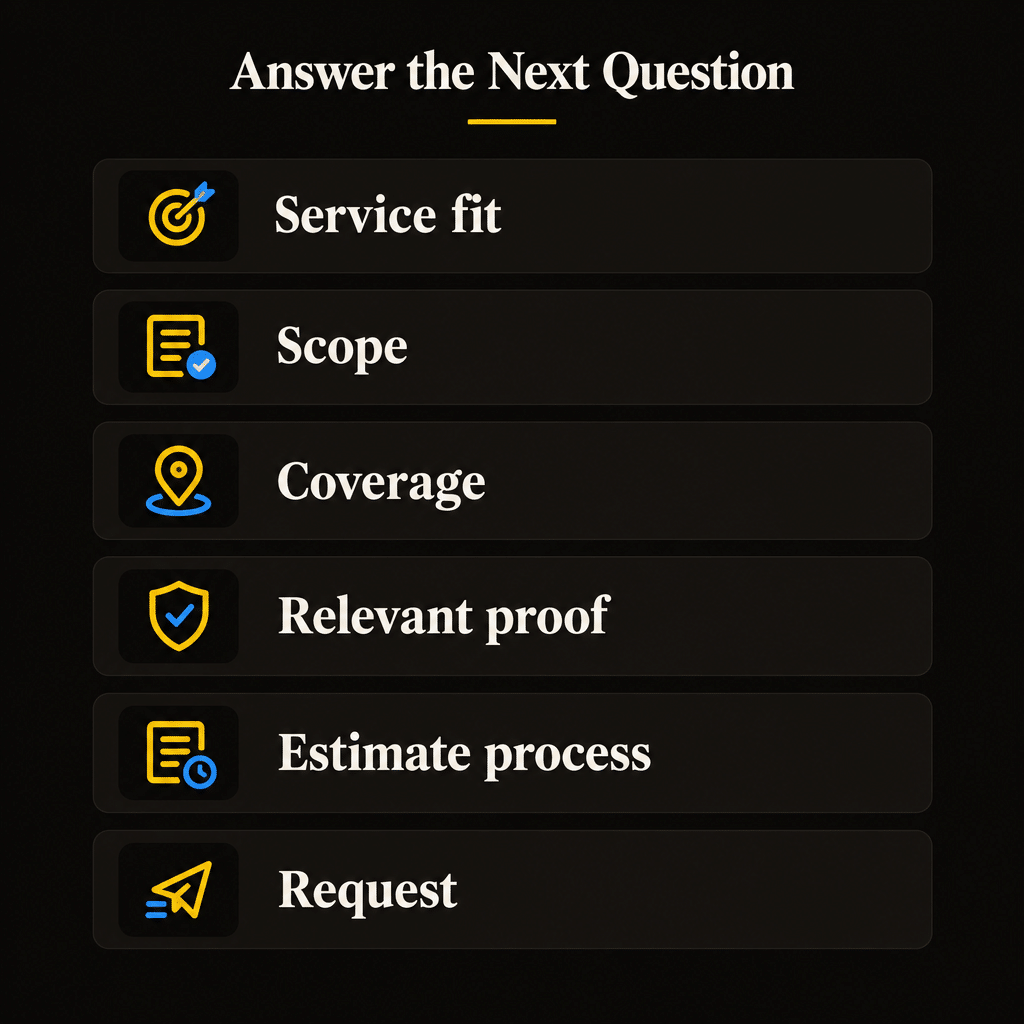
For a planned home-service estimate, the following structure provides a practical starting point:
| Page section | Customer question it should answer |
|---|---|
| Service introduction and primary action | Is this the service I need, and can I contact you? |
| Scope and relevant options | What work can this company handle? |
| Coverage and timing expectations | Can you serve my property and discuss my schedule? |
| Relevant project evidence and reviews | What supports the claims on this page? |
| Estimate process and applicable conditions | What happens if I request an estimate? |
| Service-specific questions | What remaining concern could affect my decision? |
| Request form or contact route | How do I begin? |
Adapt the order to the service. A significant question about suitability may deserve attention near the top. A simple service may need a shorter explanation.
As a hypothetical page revision, replace a vague introduction with a clear installation offer, add verified coverage, describe the assessment, place relevant project evidence beside the scope, and align the button with the actual request process.
That is an implementation example, not a claim that the changes produced more leads or bookings. Evaluate their effect after publication.
Review Performance Beyond Form Totals
Define success before publishing the changes.
Measure genuine inquiries and whether they match the service and territory. Connect contacts about the same project where possible. Review estimate progression and booked work as those outcomes develop.
Keep button clicks, form starts, successful submissions, connected calls, and booked jobs distinct. Each can help diagnose a different part of the experience. None should silently stand in for another.
If many customers submit but request work you do not perform, review the offer and traffic sources. If suitable visitors struggle to submit, investigate the form. If requests arrive reliably but estimates stall, review the operating process.
Record the revision date and the changes made. Compare reasonably similar periods and consider changes in season, traffic sources, availability, or service mix before attributing every movement to the new page.
For a low-volume service, customer conversations and request records may be more informative than a short comparison between two small totals. Keep uncertainty visible while gathering evidence.
A page improvement creates a better opportunity for suitable customers to inquire. Realized business value still depends on assessment, estimating, customer decisions, and delivery.
Frequently Asked Questions
Should every service page send customers to the same contact form?
It can, as long as the form preserves or clearly identifies the requested service and gives the receiving team enough context. A generic destination that loses the service information creates unnecessary work. Test the path from each important page rather than assuming the shared form works equally well everywhere.
Should I require photos before accepting an estimate request?
Require them only when they are genuinely needed to begin the process and customers can reasonably provide them. Otherwise, make uploads optional or request photos during follow-up. Explain what is useful, the permitted file formats, and an alternative when uploads are difficult.
Can I offer a price range without giving an exact quote?
Yes, when the range is defensible and presented accurately. Explain the scope, assumptions, and factors that may change the price. Do not invent a low starting figure to attract requests or imply that a preliminary range is a confirmed estimate.
Should the submit button say “Book Now” for an estimate request?
Use “Book Now” only when the action creates the booking the customer reasonably expects. If the form starts a conversation or asks your team to arrange an assessment, use wording such as “Request an Estimate” or “Request an Assessment.” Match the confirmation message to that same action.
Can a short service page still help customers request estimates?
Yes. Keep the length to what customers need for the service. A concise page can work when it clearly explains fit, evidence, the estimate process, and contact options. Add detail to resolve meaningful uncertainty rather than to reach an arbitrary word count.
Make the Request the Natural Next Step
Choose one valuable service page and review it from the customer’s perspective.
Make the offer recognizable, answer the questions that affect fit, show relevant evidence, and explain the estimate process. Then test the contact experience from the visitor’s first click through delivery to your team.
For a broader method of prioritizing pages and improvements around business outcomes, explore Quickest Path to ROI SEO™. Use the book and companion tools to give the next improvement a clear purpose and a practical place in your SEO plan.
If you need help reviewing your contractor service pages and estimate-request experience, see Elite SEO Consulting’s home improvement SEO services or call 719-474-9404.